

Translate on-screen text in complex layouts, recreate text animations, and refine the result by chatting with AI.
We’ve released Vozo Visual Translate V2 for videos where the way text appears matters as much as what it says. A label in a cash flow table needs to stay in the right row. An animated product callout needs to appear as the feature comes into view. V2 translates the words and rebuilds them in the scene, with the layout and motion that help viewers follow along. See the Visual Translate overview.
Keep translated text in the right place
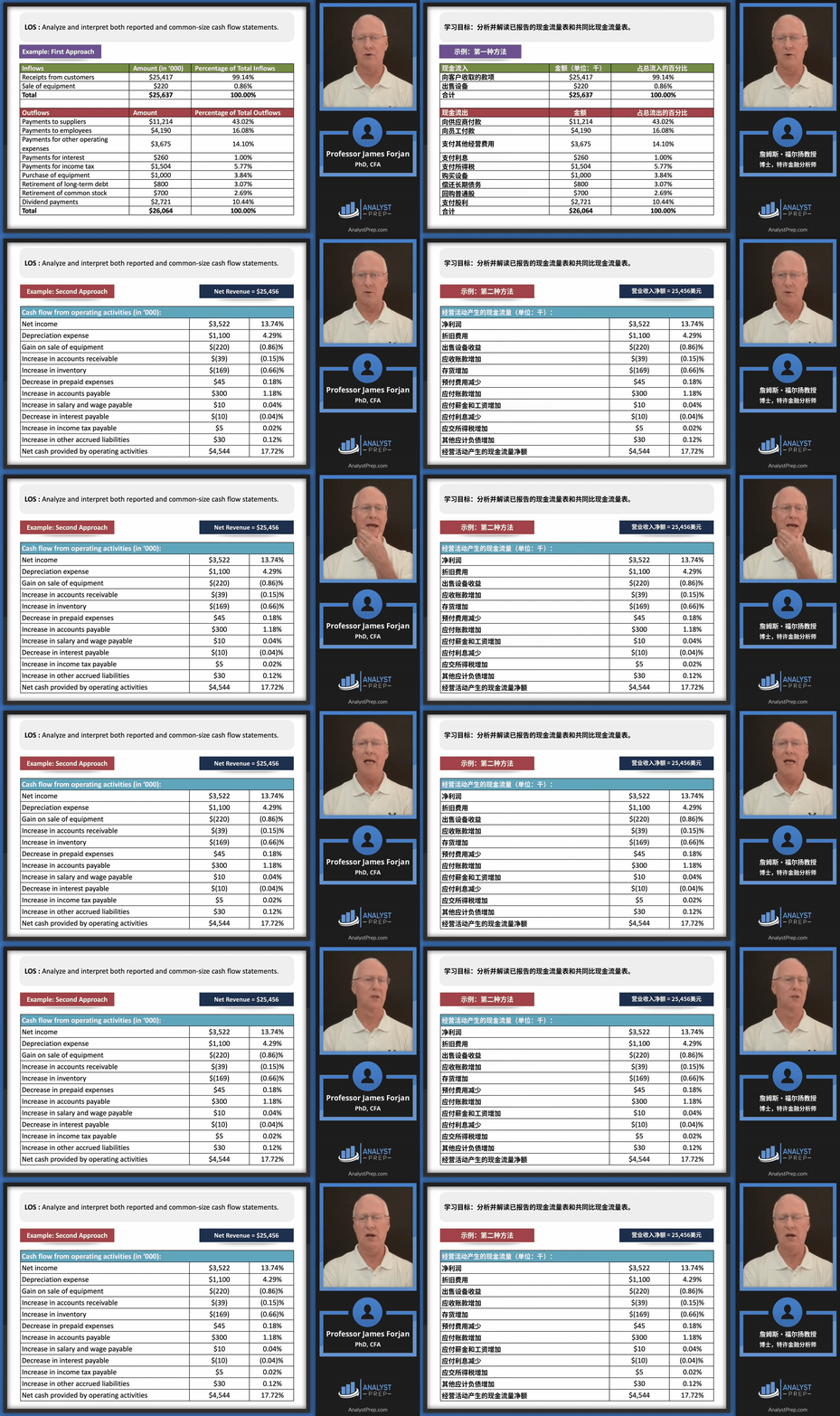
Dense layouts leave little room for error. In a table, even a small shift can make a label look like it belongs to another row. V2 is designed to remove the original text cleanly near borders and other visual elements, then fit the translation back into the layout. See how V2 handles complex layouts.
Recreate text animations in another language
Motion often tells viewers where to look and when. A callout can slide into view as a product feature appears, or a heading can reveal itself one character at a time. V2 can recreate effects like these in the target language. In the doorbell demo below, watch how the English text enters and moves through the frame. See more V2 animation examples.

Fine-tune the result by chatting with AI
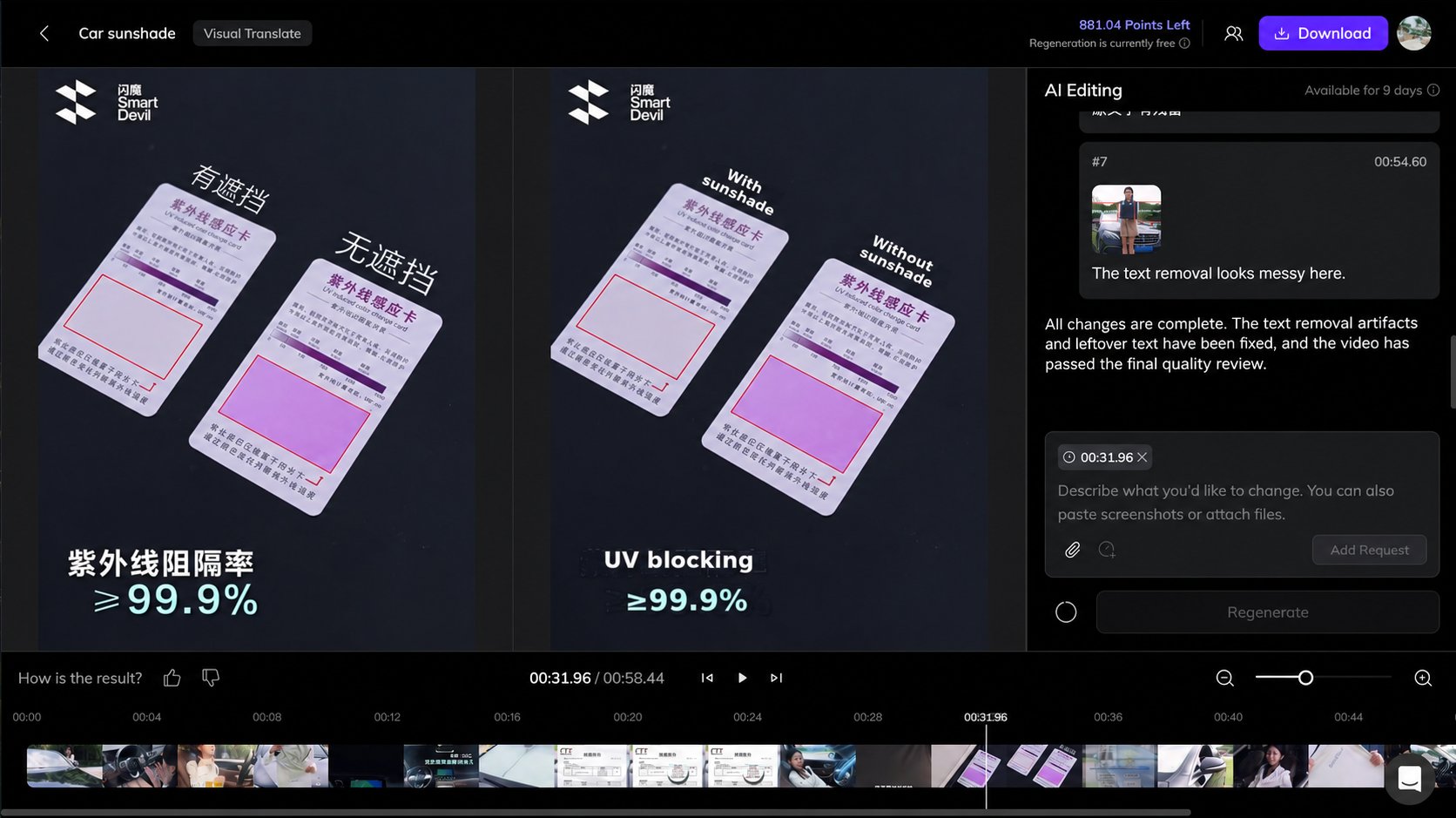
After the first pass, you can ask V2 to revise wording, reposition text, adjust an animation, or clean up traces of the original lettering. If a translated callout covers part of the product, for example, you can ask V2 to shorten it and move it slightly to the left. See how editing works.
Try Visual Translate V2
Choose a short scene with a dense slide, a moving label, or an animated title. Run it through V2 and compare the result side by side with the original. Try Vozo Visual Translate.
Video excerpts are shown to demonstrate translation results. Rights belong to the original creators or rights holders. Source footage credits.
