
Top 10 Subtitle Translation Services for Video (2026)
Buyer’s Guide • Subtitle Translation Services for Video
The 10 best subtitle translation services for film-grade nuance, accurate time-coding, and post-ready exports.
International releases are no longer reserved for big studios. In 2026, filmmakers, post teams, educators, and brands ship multilingual launches every week, but “translated” does not automatically mean “watchable.”
We compared human-first vendors, marketplaces, hybrid AI plus human platforms, and an integrated localization suite, scoring each option on nuance, timing quality, deliverables (SRT/VTT and broadcast formats), workflow fit, and security signals.
How We Selected These Tools
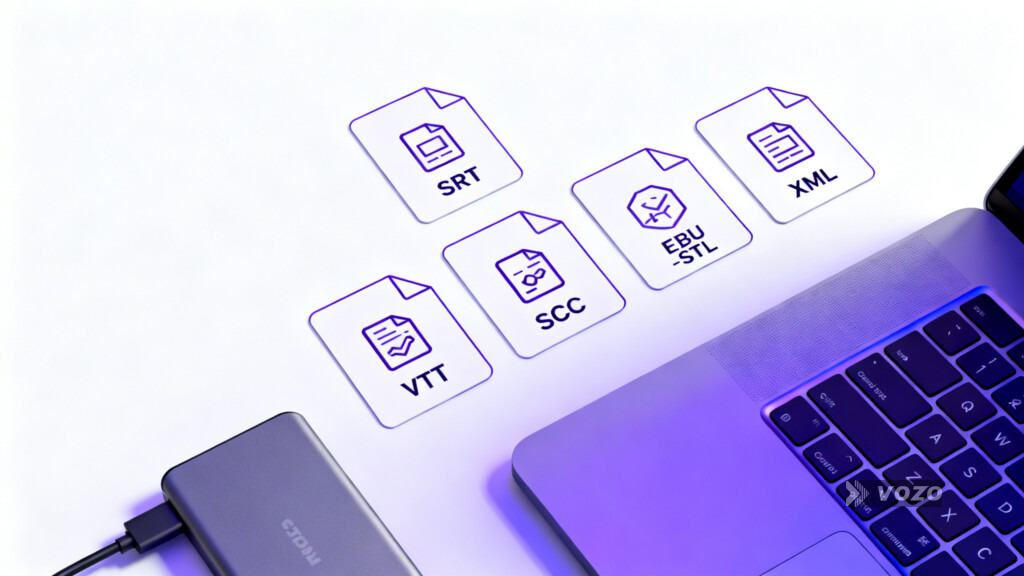
The best services for translating video subtitles do two jobs at once: they preserve story nuance (tone, subtext, humor, character voice) and they deliver time-coded, post-ready files (SRT/VTT at minimum, plus broadcast formats like SCC and EBU-STL when needed). We prioritized vendors that reduce the most common “expensive failures,” from nuance loss to timing drift and missed release windows.
- Translation accuracy and nuance: Handling idioms, humor, cultural references, and character voice consistency across full runtimes or episodes, supported by glossaries, style guides, and translation memory when available.
- Synchronization and readability: Solid in and out timing, legible line breaks, comfortable reading speed on phones through TVs, and low risk of subtitle drift when picture changes late in post.
- Deliverables and format compatibility: Reliable exports like SRT and VTT, plus professional and broadcast formats (SCC, EBU-STL, XML variants) depending on distribution requirements.
- Language coverage and regional variants: Breadth of language pairs, including less common languages, and true localization that respects regional conventions.
- Workflow fit and scalability: Turnaround reliability, rush options, collaboration tooling, in-browser editors, and API availability for high-volume pipelines.
- QA rigor and security posture: Multi-stage review, NDA readiness, secure transfer and access controls, and commonly cited compliance signals (for example GDPR, SOC 2 Type II, ISO 27001, ISO 9001, HIPAA, SSL, 2FA).
- Beyond subtitles (optional but decisive): Dubbing, voice preservation, and lip sync for teams whose “delivery” includes localized audio masters, not only subtitle files.
Vozo
Best all-in-one suite
End-to-end localization beyond subtitle files, including AI dubbing, voice cloning, and optional lip sync.
Pros
- Consolidates subtitles, dubbing, voice cloning, and lip sync, reducing tool sprawl for multilingual delivery.
- Supports fast iteration at scale with a built-in proofreading editor and API access (also positioned for enterprise procurement via AWS Marketplace).
- Can produce more immersive localized versions for audiences that prefer dubbed audio.
Cons
- Broader suite can introduce a learning curve versus single-purpose vendors.
- AI performance nuance may not match subtle human acting intent in highly artistic scenes, so targeted review remains important.
Bottom line
If your “subtitle delivery” includes building localized masters, Vozo is purpose-built for the full stack. For final-cut cinema releases with extreme nuance sensitivity, consider combining a human creative review step with your suite-based pipeline.
Tools referenced in Vozo’s suite include Vozo Video Translator (160+ languages positioned), Vozo AI Dubbing (160+ languages and 300+ voices positioned), Vozo Audio Translator, Vozo Lip Sync, Vozo Voice Studio (Video Rewrite), and the Vozo API.
#2
GoTranscript
Editor’s pick
Dependable human-first subtitles when storytelling nuance matters more than instant speed.
Pros
- Stronger odds of preserving humor, subtext, and culturally loaded dialogue than AI-only workflows.
- Per-minute pricing makes budgeting feature runtimes and long-form projects more predictable.
- Deliverables align with common post-production handoffs (SRT and VTT as a baseline).
Cons
- Slower iteration cycle than AI-first platforms, especially when scripts change late.
- Not an integrated suite for dubbing, voice cloning, and lip sync in the same workflow.
Bottom line
If you are choosing among filmmaker subtitle services for a high-stakes release, GoTranscript is a safe “human quality first” baseline. Consider a hybrid platform or integrated suite when you need rapid iteration, collaboration tooling, or subtitles plus localized audio deliverables.
Smartcat Marketplace
Best for scale
Best for scaling across many languages with specialist linguists and localization tooling.
Pros
- Large talent pool (often cited at 500,000+ linguists), helpful for niche language pairs and specialist domains.
- TM and glossaries reduce continuity errors across a series, franchise, or content library.
- API access supports higher-volume pipelines and repeatable localization operations.
Cons
- Creative direction and quality control remain the buyer’s responsibility.
- Costs can vary widely with specialization, rush timelines, and scarce language pairs.
Bottom line
Smartcat is a strong “localization program” choice rather than a hands-off vendor. It shines when you need consistency across many deliverables, but it rewards teams that can actively manage linguists, QA, and style decisions.

Vananservices
Best agency-style coverage
Traditional agency-led delivery for broad language coverage with fewer vendors to manage.
Pros
- Broad multi-territory reach (100+ languages cited in positioning).
- Agency-managed delivery reduces buyer-side hiring and vendor coordination.
- Can consolidate accessibility needs like captions and SDH into one vendor relationship.
Cons
- Not optimized for rapid edit-daily iteration compared with platform-first tools.
- Rework costs can rise if the picture is not near-locked and time codes shift late.
Bottom line
Vananservices is a solid agency option when you have a near-locked cut and want one accountable vendor for multi-market distribution. If you expect frequent editorial changes, consider a platform with tighter collaboration and versioning.
TheWordPoint
Best for cultural resonance
Strong choice when subtitles must read like natural writing in the target language.
Pros
- Higher likelihood of landing jokes, idioms, and emotionally weighted lines without sounding literal.
- QA depth helps catch awkward phrasing and character-voice inconsistency.
- Pacing-aware work improves legibility and “read flow” on screen.
Cons
- Quote-based pricing adds planning friction when you need fast budgeting.
- May be more service than necessary for high-volume, low-stakes content libraries.
Bottom line
When “accurate” is not enough and subtitles must preserve voice and intent, TheWordPoint is designed for that bar. For large-scale multilingual operations, a marketplace or hybrid platform may be easier to standardize across teams.
Transcription City
Best for accessibility timing
Timing-precise captions and subtitles for accessibility-minded, compliance-driven deliverables.
Pros
- Time-coding focus reduces downstream QC issues like early pops, late drops, and drift.
- Accessibility orientation supports inclusive distribution requirements.
- Predictable workflows are helpful for recurring deliverables.
Cons
- Foreign language coverage is generally narrower than marketplaces and localization-focused agencies.
- Not positioned as an end-to-end localization suite beyond captions and subtitles.
Bottom line
If your biggest risk is timing reliability and accessibility deliverables, Transcription City is a practical specialist. If you need broad multilingual rollout, consider a marketplace or agency built around translation breadth.

Veqta
Best for clean SRT timing
A technical-timing partner for subtitle files that “just play right” under QC.
Pros
- Synchronization-first approach reduces playback distractions and subtitle drift.
- SRT-first output fits many platform pipelines and internal post workflows.
- Positioning emphasizes confidentiality for sensitive, pre-release material.
Cons
- Less emphasis on cultural adaptation than creative-first providers.
- Requires inquiry to confirm language coverage, formats, and pricing.
Bottom line
If creative localization is handled elsewhere and you need clean SRTs that behave across devices, Veqta is a good technical partner. If you need adaptation and writing quality as the primary deliverable, pick a human creative provider instead.
Europe Localize
Best for EU conventions
Regional specialist for European-market subtitle conventions, formatting, and readability.
Pros
- Formatting attention improves real-world legibility across phones, laptops, and TVs.
- Emphasis on culturally appropriate translation beyond literal wording.
- Broader service menu can reduce vendor sprawl for European-focused releases.
Cons
- Pricing generally requires project details before a usable estimate is available.
- Not designed for instant drafts or heavy automation-led iteration.
Bottom line
Europe Localize is a strong pick when formatting standards and readability conventions are part of the deliverable. If you need rapid, high-volume iteration, a hybrid platform with an editor may be a better operational fit.
Happy Scribe
Best hybrid workflow
Fast platform workflows plus human subtitlers for publish-ready quality and accessibility focus.
Pros
- Good fit for fast turnaround with human-backed delivery (some positioning cites delivery within 12 hours).
- Visual editor reduces coordination overhead for phrasing, timing, and line breaks.
- Strong accessibility and compliance framing for teams that publish at scale.
Cons
- Nuance-heavy storytelling still benefits from deeper human creative review.
- Human services add cost compared with AI-only workflows at high volume.
Bottom line
Vozo.ai is one of the most practical hybrid picks for teams who want a managed workflow and professional subtitles without fully agency-led processes. If your roadmap goes from subtitles to localized audio, an integrated suite like Vozo Video Translator can complement a subtitles-first workflow once the subtitle script is approved.
Amberscript
Best for secure recurring work
Hybrid platform that balances AI speed, human upgrade paths, and security-minded workflows.
Pros
- Start quickly with AI drafts, then upgrade to human accuracy for release-quality requirements.
- Online editor supports collaborative refinement of phrasing, pacing, and line breaks.
- Security posture is a plus for pre-release or client-sensitive cuts (positioning includes Europe hosting and ISO signals).
Cons
- AI drafts still need review for film-grade nuance and creative intent.
- Human upgrades can compound cost in high-volume, multi-language programs.
Bottom line
Amberscript is a good fit when security and repeatable workflows matter as much as speed. For highly creative narrative work, a human-first vendor may still be the better choice for the final master.
Quick Comparison of Top Picks
| Tool | Best for | Price tier | Key strengths |
|---|---|---|---|
| GoTranscript | Film-grade nuance and human-only translation | Mid-range | Human-first quality, post-ready SRT/VTT, predictable per-minute planning |
| Smartcat Marketplace | Scaling many languages with specialist linguists | Variable | TM and glossaries, collaboration, API support, large marketplace talent pool |
| Happy Scribe | Fast hybrid workflow with human checking | Budget to mid-range | Editor and workflow, 60+ languages positioned, human delivery options for publish-ready subs |
| Amberscript | Recurring work with security expectations | Mid-range | AI first drafts with human upgrades, online editor, compliance-oriented positioning |
| Vozo | Subtitles plus dubbing and lip sync deliverables | Mid-range to premium | Integrated suite, voice cloning and optional lip sync, built-in editor, API and enterprise options |
Buyer’s Guide: The “Best” Service Depends on Your Biggest Risk
Most teams choose a vendor based on price or speed, then discover their real bottleneck is something else. A more reliable approach is to pick based on your “most expensive failure,” meaning the problem that would cost you the most in rework, missed windows, or brand damage.
Common failure modes to plan around
- Nuance loss: jokes fall flat, subtext disappears, character voice changes.
- Timing errors: subtitles appear too early or too late, pacing feels wrong, and line breaks become unreadable.
- Turnaround delays: missed festivals, distributor windows, or weekly episode deadlines.
- Workflow friction: too many handoffs, inconsistent terminology across vendors, and poor version control.
- Confidentiality risk: unreleased cuts mishandled or leaked.
Buying Guide: What to Look For When Choosing
Step 1: Decide your “most expensive failure”
Before comparing prices, decide what failure will cost you the most. Nuance loss is reputational risk for films and premium brand work. Timing errors are QC risk across devices and platforms. Turnaround delays become release risk for festivals, episodic drops, and distributor windows. Workflow friction creates inconsistency across episodes and languages. Confidentiality risk can be existential for pre-release content.
Step 2: Lock inputs that directly improve subtitle output
These habits reduce revisions, drift, and miscommunication, regardless of whether you choose a human-first vendor, a hybrid platform, or a marketplace.
- Provide a locked or near-locked cut: final time-coding is far more stable when editorial changes are minimal.
- Share a glossary: names, places, invented terms, and sensitive phrasing should not be re-decided every episode.
- Flag jokes and plot-critical lines: set adaptation priorities so translators know where to spend time.
- Confirm deliverables early: SRT and VTT are common; broadcast can require SCC or EBU-STL and sometimes XML variants.
- Test readability on real devices: phones versus TVs change pacing perception and line-break tolerance.
- Treat confidentiality as workflow: NDAs, secure transfer, strict access control, and retention policies.
Step 3: Match provider type to project reality
- Human-first providers: best for final masters where tone is everything.
- Marketplaces: best for uncommon language pairs and specialist domains when you can manage QC.
- Hybrid platforms: best for fast drafts, then optional human review for release-quality work.
- Integrated suites: best when subtitles lead into dubbing and lip sync deliverables.
When “beyond subtitles” matters (dubbing, voice preservation, lip sync)
In 2026, demand for multilingual dubbing keeps rising as brands expand globally. Cloud-based dubbing also supports collaboration and faster approvals. The practical takeaway is that subtitles add text, while dubbing replaces audio and can be more immersive.
- Lip sync is most noticeable in close-ups: subtle mismatch can break the illusion and trigger an uncanny-valley effect for some viewers.
- Plan dubbing after the subtitle script is approved: approvals are faster when you treat the subtitle translation as a script that must be correct first.
- Integrated option: Vozo AI Dubbing is positioned for localized voice tracks in 160+ languages with 300+ voices, and Vozo Lip Sync targets face-forward scenes where natural mouth movement matters most.
How to reduce revisions in an AI-assisted workflow
A reliable hybrid pattern is to generate a fast subtitle draft, then do targeted human review where AI tends to fail: jokes and idioms, legal or technical terms, brand-sensitive phrasing, and timing hot spots (overlaps and very fast dialogue).
If translated voiceover lines need polishing without re-recording, Vozo Voice Studio (Video Rewrite) is positioned for text-based rewriting and redubbing inside existing video workflows.
Scaling for series, libraries, or frequent publishing
If you are localizing a series or a library, require translation memory and glossaries so terms stay consistent across episodes and sequels. For high volume, API automation can reduce manual handoffs and improve version control.
For teams that want to automate translation, dubbing, and lip sync in high-volume pipelines, Vozo API is positioned for integration and also available via AWS Marketplace.
Mobile and creator workflows (shorts and social)
When speed matters more than ceremony, prioritize editors that make quick caption fixes easy, and consider whether localized content will be repurposed into shorts with baked-in subtitles.
- Creator captions: BlinkCaptions is positioned for on-the-go caption handling.
- Clipping and short-form repurposing: Long to Shorts is positioned to convert long videos into multiple short clips with AI scoring, auto-reframing, and animated subtitles.
Audio quality still matters for subtitle accuracy
Clean audio reduces mis-hears and improves time-coding. If possible, clean and enhance recordings before transcription and subtitle generation. For quick voice improvements, Vozo Voice Editor is positioned as a practical mobile option.
Optional: localized promos and character-led assets
For trailers, teasers, and lightweight localized promos, Vozo Talking Photo is positioned to turn a static photo into a speaking character with natural gestures and lip sync, useful for quick character-led assets across languages.
Buying FAQs for Subtitle Translation Services for Video
What is the difference between subtitles, captions, and SDH?
Subtitles typically translate dialogue for viewers who can hear the audio but do not understand the language. Captions include non-speech audio (sound effects, music cues) and speaker cues. SDH (Subtitles for the Deaf and Hard of Hearing) combines translated dialogue with descriptive cues designed for deaf and hard of hearing audiences.
How much does video subtitle translation typically cost?
Human translation is often priced around $5 to $15+ per minute or $0.10 to $0.30 per word, depending on language pair, urgency, and complexity. AI options are usually cheaper and subscription-based, but high-stakes releases still benefit from human review for nuance, timing, and readability.
What matters most when choosing a subtitle translation service?
Prioritize what would be most expensive to get wrong: nuance, timing, turnaround, workflow consistency, or confidentiality. In practice, great outcomes come from strong time-coding and readability, clear deliverables (SRT/VTT and any broadcast formats), and a review process that protects tone and terminology.
What are the most common subtitle file formats?
SRT and VTT are the most common formats for web and platform delivery. Broadcast workflows may require SCC and EBU-STL, and some pipelines use XML variants depending on platform requirements and QC rules.
Can AI translation replace human translators for film subtitles?
Not fully for high-stakes releases. AI is excellent for speed and first drafts, while humans still outperform on cultural nuance, emotional tone, idioms, and creative intent. Many teams get the best results with a hybrid workflow that uses AI for throughput and humans for judgment-heavy scenes.
What is time-coding and why is it crucial?
Time-coding assigns in and out times to each subtitle line. Poor timing breaks pacing and immersion even when the translation is accurate, especially on fast dialogue, overlapping speech, or action cuts where readability depends on precise placement.
Should I use a service that offers an API?
APIs matter most for studios and platforms localizing many deliverables, episodes, or frequent publishing schedules. For one-off films, an API is optional, but it becomes valuable when you need repeatable intake, versioning, automated exports, and consistent terminology at scale.
How can I protect unreleased film content during translation?
Use NDAs, secure file transfer, encryption and access controls, and retention policies. Confirm who can download, share, or store cuts, and look for privacy and compliance signals such as GDPR where applicable, especially when working across multiple vendors.
