

Top 10 AI Tools to Summarize YouTube Videos
Buyer’s Guide • AI tools to summarize YouTube videos
The 10 best AI YouTube summarizers for faster learning, research, and content triage.
YouTube is one of the biggest libraries of knowledge on the internet, but it is also a time sink. For this list, we compared tools that turn long videos into readable takeaways, often paired with transcripts, timestamps, highlights, mind maps, and Q&A. Each pick was evaluated on summary accuracy, speed, readability, features (transcripts, timestamps, languages), and overall value.
At-a-Glance Winners (What to Pick Fast)
- Quickest free overview: Krisp or Noiz
- Study-focused notes from YouTube: Memories.ai or NoteGPT
- Most features (timestamps, speaker labels, mind maps, Q&A): Wayin.ai
- Multilingual summaries: Wayin.ai (100+ languages) or Monica (22+ languages, GPT-4)
- Visual, mind-mapped summaries: Xmind AI
- Clips and highlights curation: Clipwise
Across the market, competition is rising fast. AI Vid Summary’s 2025 coverage compares 15+ tools, which is a good signal that this category is both crowded and improving quickly. The promise is simple: save time. Many summarizers aim to cut watch time dramatically (often quoted as 80 to 90 percent time savings for gist-level consumption), especially when you only need the core points.
How We Selected These Tools
To keep this list useful (and not just a pile of tools), we focused on practical criteria that match real workflows for studying, work, and research. A good YouTube summarizer should produce a faithful summary, be easy to use, and make it simple to verify details back in the original video.
- Accuracy and factual fidelity: The summary should match the video’s real claims and sequence without inventing details or skipping key points.
- Conciseness: It should compress a long video into a short, usable output without becoming vague.
- Readability and coherence: Clean formatting and clear language matter if you plan to skim, share, or study from the notes.
- Speed of summarization: Some tools prioritize near-instant results, while deeper analysis tools take longer.
- Feature depth: We gave extra credit for transcripts, timestamps, multilingual support, mind maps, highlights, speaker labels, and Q&A.
- User experience: A summarizer is not helpful if it is hard to run, confusing, or unreliable.
- Pricing and value: We considered free tools, freemium caps, and whether premium features justify the cost.
- Handling diverse content: Lectures, interviews, and multi-speaker panels stress tools differently, especially with poor audio.
Quick Comparison of Top Picks
| Tool | Best for | Price tier | Key strengths |
|---|---|---|---|
| Wayin.ai | Power users and researchers | Freemium / Premium | Timestamps, speaker labels, mind maps, chat Q&A, 100+ languages |
| Memories.ai | Students and study notes | Freemium / Premium | Study-ready notes, accuracy focus, strong for lectures and tutorials |
| Monica | Multilingual, browser-first summaries | Freemium / Premium | GPT-4-powered summaries, 22+ languages, convenient extension flow |
| Krisp | Fast free overviews | Free | Paste URL, summary in seconds, simple and accessible |
| NoteGPT | Transcript plus summary | Free | One-click transcript, summary for studying, extension support |
The Best AI Tools to Summarize YouTube Videos
Memories.ai
Editor’s pick
Best for students and researchers who want study-ready notes, not just a gist.
Pros
- Accuracy-first approach geared toward retaining the essence of the video without full watch time.
- Notes-style output that is practical for revision, recall, and structured studying.
- Simple URL-based workflow: paste a YouTube link and generate notes in a web interface.
Cons
- Not always the fastest option if you only want a quick, superficial overview.
- Less emphasis on visual outputs like mind maps compared with visual-first tools.
Bottom line
If YouTube is part of your curriculum or research workflow, Memories.ai is built to turn videos into reliable study material, not just a short summary. If you mainly need instant triage across many videos, consider Krisp or Noiz instead.
Xmind AI
Best for visual learners
Best for mind-mapped YouTube summaries that show structure, not just sentences.
Pros
- Turns a long lecture or presentation into a visual structure that is easier to review.
- Helps connect concepts, which can improve comprehension for complex topics.
- Distinct output compared with typical summarizers that only produce paragraphs and bullet lists.
Cons
- Mind mapping can feel unfamiliar if you prefer traditional notes or plain text.
- Less ideal if you primarily need timestamps, quotes, or evidence-level referencing back to the video.
Bottom line
If you learn by mapping a topic, Xmind AI can make a long video feel like a structured set of concepts instead of a wall of text. If you need multilingual output or interactive Q&A, Wayin.ai is typically a better fit.
Monica
Best multilingual pick
Best for polished, multilingual browser summaries powered by GPT-4.
Pros
- GPT-4-style summarization tends to produce coherent, context-aware output for complex topics.
- Strong multilingual support for teams, travel, and international learning.
- Convenient extension-based experience for on-the-fly summaries during browsing.
Cons
- Advanced model usage often implies premium pricing or usage caps.
- Heavier AI processing can introduce occasional delays depending on load and video length.
Bottom line
Monica is a strong choice when accuracy, polish, and language flexibility matter. If you need very deep video navigation (speaker labels, highlights, mind maps, and Q&A), Wayin.ai is the more comprehensive option.
Krisp YouTube Video Summarizer
Best free fast summary
Best free tool for ultra-fast, URL-based summaries in seconds.
Pros
- Completely free, making it easy to test and adopt immediately.
- Speed is the standout: designed to summarize in seconds.
- Downloadable text output helps with archiving and offline review.
Cons
- Fewer advanced features like interactive Q&A, mind maps, or speaker labels.
- May miss nuance on highly technical content compared with premium, model-heavy tools.
Bottom line
When you need a fast “should I watch this?” answer, Krisp is one of the easiest free picks. If the output must be citation-friendly with timestamps or labels, look to Wayin.ai or transcript-first tools like NoteGPT.
NoteGPT
Best transcript plus summary
Best for one-click transcript plus summary that supports active learning.
Pros
- Transcript plus summary is ideal for studying, accurate quoting, and fact-checking.
- Supports learning workflows where you review the exact wording, not just an abstracted recap.
- Free access makes it easy to adopt for regular study use.
Cons
- Real-time or near-real-time performance can vary with video length and processing load.
- For complex arguments, summaries may be less nuanced than GPT-4-driven tools.
Bottom line
NoteGPT is a strong free option when you want both the full words and the short version in one place. If you need multilingual output or advanced research features like speaker labels and Q&A, Wayin.ai or Monica may be a better match.
Wayin.ai
Most features
Best all-around for deep video analysis with timestamps, languages, and Q&A.
Pros
- Comprehensive workflow: summaries, transcripts, highlights, and mind maps in one place.
- Timestamps and speaker labels support citations and fast verification.
- Chat-to-learn Q&A helps you interrogate the content instead of passively reading a recap.
Cons
- Likely higher cost for full-feature access compared with simpler summarizers.
- Can be overkill if you only want a quick gist for video triage.
Bottom line
Wayin.ai is the power-user pick when you need summaries plus evidence-level navigation back to the original video. If you want the fastest free overview, choose Krisp or Noiz; if you want a purely visual mind map, Xmind AI may feel simpler.
Noiz
Fast triage
Best for instant, clean text summaries with minimal fuss.
Pros
- Fast and straightforward: ideal for quick decision-making on what to watch.
- Output is optimized for clean readability, not raw transcript fragments.
- Great for handling volume when you are triaging multiple tutorials or interviews.
Cons
- Less depth than feature-heavy tools, especially for complex research workflows.
- Fewer advanced features like mind maps, robust timestamps, or broad multilingual support.
Bottom line
Noiz is a strong “summary now” tool when speed and clarity matter most. If you need verification tools like speaker labels or multilingual output at scale, Wayin.ai or Monica will usually be a better fit.
BibiGPT.co
All-in-one assistant
Best for teams that want a broader audio and video AI assistant beyond summarization.
Pros
- Consolidates multiple multimedia workflows into one tool, which can reduce tool switching.
- Useful for teams that handle many videos and need consistent processing outputs.
- The assistant-style positioning suggests broader guidance features, not only raw summaries.
Cons
- All-in-one platforms can be less specialized than best-in-class summarizers for study or research.
- Broader scope can increase the learning curve compared with simple URL summarizers.
Bottom line
If you want a wider AI media assistant (not just summaries), BibiGPT.co is worth exploring for creator and marketing workflows. If your goal is disciplined study notes or evidence-friendly timestamps, prioritize Memories.ai, NoteGPT, or Wayin.ai.
Notta
Best for real-time
Best for real-time transcription and summarization when timing matters.
Pros
- Real-time workflow supports time-sensitive notes when you cannot wait for post-processing.
- Great fit for meetings and webinars where summaries need to be available quickly.
- Transcription-first focus supports accuracy when you need the exact wording.
Cons
- Real-time processing can be resource-intensive and may increase costs on higher usage.
- Summary quality can vary with audio clarity, overlapping speakers, and fast talkers.
Bottom line
If your problem is “capture it live,” Notta is built for that moment. For deep post-hoc analysis of prerecorded YouTube content with mind maps and Q&A, Wayin.ai is typically stronger.
Clipwise
Best for highlights
Best for finding, saving, and organizing key segments and highlights.
Pros
- Excellent for curation and building reusable research or learning assets from long videos.
- Helps you pinpoint key moments efficiently, which is valuable for repurposing and review.
- Highlights can become future clips, references, or teaching materials.
Cons
- May not produce one unified whole-video summary if you prefer a single narrative recap.
- More about segmenting and organizing than pure summarization.
Bottom line
If you routinely ask “where is the best part of this video?”, Clipwise is designed to answer that efficiently. If you prefer a study-style summary and transcript first, start with Memories.ai or NoteGPT.
Buyer’s Guide: What to Look For in a YouTube AI Summarizer
Choosing the right tool depends on your workflow. Use the filters below to avoid paying for features you will not use, and to avoid frustration when a tool does not match the kind of videos you summarize.
1) Start with your purpose
- Quick overview: Krisp or Noiz
- Detailed learning and research: Memories.ai or Wayin.ai
- Visual organization: Xmind AI (and Wayin.ai if you also want analysis features)
- Live content and immediacy: Notta
- Content curation and highlights: Clipwise
2) Match the tool to your accuracy requirements
For high-stakes topics (science, legal, policy), prioritize tools that produce coherent summaries and make verification easy. GPT-4-powered options like Monica are often a safer bet for nuance, while tools with strong timestamps and structured transcripts help you confirm what was actually said.
Actionable tip: If you are checking a medical or financial claim, choose a tool with timestamps so you can jump back and verify the exact moment it was stated.
3) Check language support early
- Multilingual viewing: Wayin.ai (100+ languages) and Monica (22+ languages) stand out.
- English-only needs: You can prioritize speed, price, and user experience instead.
4) Pick your preferred output format
- Plain text: Nearly all tools support this, and it is the fastest to skim.
- Mind maps: Xmind AI and Wayin.ai are better aligned with visual learning.
- Timestamped highlights and transcripts: Wayin.ai, NoteGPT, and Clipwise are strong fits.
- Interactive Q&A: Wayin.ai is the clearest match in this list.
Practical example: If you are preparing for an exam, a mind map can be more useful than a paragraph summary because it shows how topics branch and connect.
5) Look at integrations and accessibility
- Browser extension workflows: Monica, Krisp, NoteGPT, Notta (and others in the list) are built for quick access while browsing.
- Web application workflows: Many tools use a simple link-paste approach.
- Mobile needs: If you summarize on the go, confirm mobile availability since it is not specified in the research for every tool.
6) Understand the pricing model and limits
- Free options: Krisp and NoteGPT are explicitly positioned as free.
- Freemium tiers: Common in this category, usually with caps on video length, usage volume, or advanced features.
- Premium value: Feature-heavy tools like Wayin.ai can be worth it for teams and research workflows.
Free tiers may restrict video length or daily usage volume, and limits were not detailed in the research. Check before you commit a workflow to a single platform.
7) Consider video complexity and audio quality
Technical and fast-paced content tends to require stronger transcription and better language understanding. Multi-speaker panels also benefit from timestamps and speaker labels. If audio quality is poor or speakers overlap, expect summary quality to vary across tools.
8) Do not ignore privacy and data handling
Even though the research here does not enumerate vendor policies, you should still review each tool’s privacy policy, especially if you summarize sensitive meetings, client calls, or unpublished content.
Buying FAQs for AI tools to summarize YouTube videos
What is an AI YouTube summarizer?
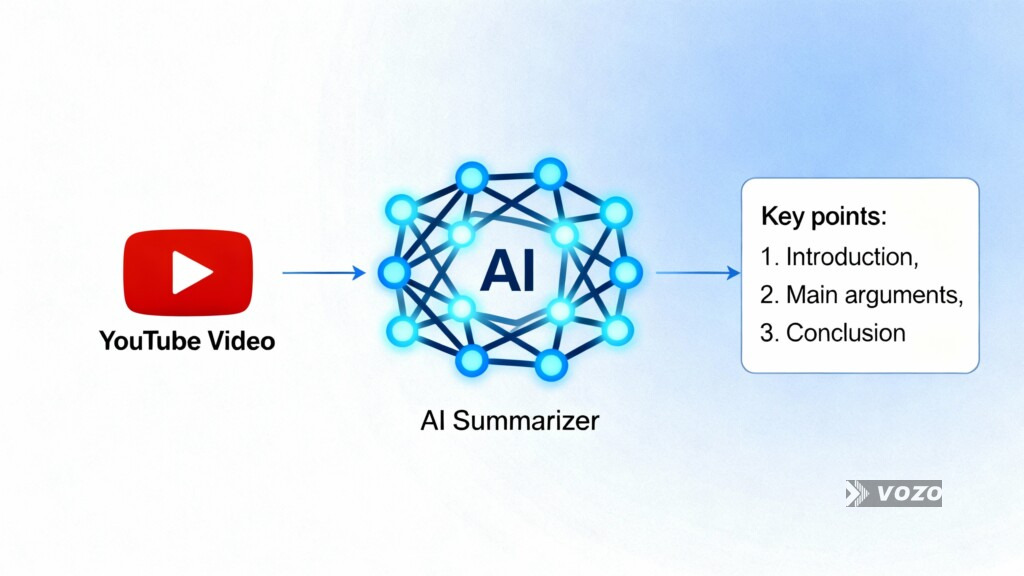
An AI YouTube summarizer converts a video’s audio into text (speech-to-text) and then condenses that transcript into a shorter summary using natural language processing. Many tools also generate transcripts, highlights, and timestamps so you can jump back to the exact moment something was said.
How do these tools generate summaries from videos?
Most follow a two-step pipeline: first a transcript is created, then the transcript is summarized. Summaries can be extractive (pulling key sentences) and/or abstractive (rewriting the ideas in new sentences), with advanced models often producing more coherent abstractive results.
Are AI YouTube summaries accurate enough for study or work?
Accuracy varies by tool and by video quality. For nuance and coherence, GPT-4-backed tools like Monica can be a strong option, while research workflows often benefit from timestamps and transcripts so you can verify details directly in the video.
Can I get a transcript along with the summary?
Yes. Many tools provide transcripts in addition to summaries, including NoteGPT, Wayin.ai, and Notta. Some also include timestamping, which is especially helpful when you need to quote or confirm the exact phrasing.
Which tools are best for multilingual YouTube summaries?
Wayin.ai stands out for broad coverage with summaries in 100+ languages, and Monica supports 22+ languages with GPT-4-powered output. If you work across regions or bilingual teams, multilingual support should be a top selection filter.
Are there truly free AI YouTube summarizers?
Yes. Krisp and NoteGPT are positioned as free online tools in the research. Many other tools use freemium plans, where advanced features or higher usage limits are behind paid tiers.
Can these tools help with content creation and repurposing?
Yes. Tools like Wayin.ai and Clipwise can support repurposing by producing transcripts, identifying highlights worth clipping, and helping you locate the strongest segments quickly. If your goal is to create clips and summaries for audiences, highlight-focused tools often fit better than study-note tools.
How often should I switch or re-evaluate summarizer tools?
Re-evaluate when your needs change (for example, from quick triage to research citations), or when usage limits start blocking your workflow. This category evolves quickly, so it is reasonable to compare a couple of tools every few months using the same test video and checking output quality against the transcript.
Choosing Your Tool (Match It to Your Workflow)
The best AI tool for summarizing YouTube videos depends on how you learn and why you summarize. If you want a free, fast overview, start with Krisp. If you want transcript plus summary for studying, try NoteGPT. If you need multilingual, GPT-4-powered summaries in your browser, Monica is a standout. If you want the most complete research workflow with timestamps, speaker labels, mind maps, and chat-based Q&A, Wayin.ai is the power choice.
A practical next step is to pick two tools from this list, run them on the same YouTube video, and compare the summary against the transcript for accuracy. Then commit to the option that saves you the most time without losing the details you care about.
