

Introduction
Mise à jour en juin 2026.
Vous recherchez une extension Chrome pour traduire des vidéos ou un outil de traduction des sous-titres pour YouTube ? Ce guide compare les extensions de navigateur permettant de traduire les sous-titres, les sous-titres codés et les pages vidéo, notamment des outils dédiés à la traduction des sous-titres YouTube, aux sous-titres en temps réel, à l’apprentissage des langues et au doublage de base. Si vous avez besoin de sous-titres modifiables et prêts à être exportés, plutôt que de simples sous-titres traduits à l'écran, un outil dédié Traducteur de sous-titres par IA convient mieux.
Nous expliquons également en quoi les extensions Chrome présentent des limites et dans quels cas une solution complète Traducteur vidéo IA Un outil comme Vozo est le meilleur choix.
Qu'est-ce qu'un traducteur de sous-titres vidéo ?
Un traducteur de sous-titres vidéo est un outil qui traduit les sous-titres codés ou les sous-titres des vidéos. La plupart des extensions Chrome de traduction de sous-titres fonctionnent mieux lorsque la vidéo dispose déjà de sous-titres, de légendes ou d'une transcription. Elles sont utiles pour regarder des tutoriels sur YouTube, des cours en ligne et des vidéos en langue étrangère, mais elles ne permettent généralement pas de créer une vidéo entièrement localisée avec un doublage traduit, un clonage de voix, une synchronisation labiale ou des sous-titres multilingues modifiables.
Réponse rapide : Quelle est la meilleure extension Chrome pour traduire les vidéos YouTube ?
Pour traduire les légendes et les sous-titres de YouTube, Video CC Translator et Video Translator sont les extensions Chrome les plus adaptées. Pour les sous-titres en temps réel et les réunions, iTour Video Translation et Maestra constituent de meilleures options. Pour l'apprentissage des langues, Language Reactor est plus adapté.
Pour les créateurs, les professionnels du marketing, les enseignants et les équipes qui ont besoin de publier des vidéos traduites, Vozo est la solution la plus performante. Pour les équipes de localisation et les processus de production en contact avec les clients, consultez la solution de Vozo Plateforme de localisation vidéo basée sur l'IA destinée aux agences. En juin 2026, Vozo Video Translator prend en charge plus de 160 langues, propose des sous-titres modifiables, le doublage par IA, le clonage de voix et une synchronisation labiale précise, le tout dans le cadre d'un processus complet de localisation vidéo.
Les youtubeurs qui souhaitent élargir leur audience à l'échelle mondiale peuvent utiliser un Processus de localisation des vidéos YouTube au lieu de se contenter d'utiliser des extensions Chrome basées sur les sous-titres.
Comment nous avons sélectionné ces extensions Chrome de traduction vidéo
Nous avons évalué chaque outil à l'aide de cinq critères pratiques :
- Type de traduction : traduction de sous-titres, sous-titres bilingues, transcription en temps réel ou doublage par IA.
- Prise en charge des plateformes : prise en charge exclusive de YouTube ou prise en charge plus large des réunions, des cours et d'autres sites vidéo.
- Couverture linguistique : nombre de langues sources et cibles prises en charge.
- Qualité du résultat : synchronisation des sous-titres, précision de la traduction, naturel de la voix et qualité de la synchronisation.
- Confidentialité et contrôle du flux de travail : autorisations des extensions, traitement des données, options d'exportation et adéquation du résultat à une publication.
| Outil | Meilleur pour | Signal actuel de la boutique en ligne | Type de traduction | Principale limite |
|---|---|---|---|---|
| Traducteur vidéo CC | Sous-titres des cours sur YouTube, Udemy et Udacity | Note de 3,6, plus de 60 000 utilisateurs | Traduction des sous-titres CC | Nécessite des sous-titres |
| Traducteur vidéo | Traduction de vidéos à partir d'URL | Note de 3,0, plus de 80 000 utilisateurs | Traduction vidéo/vocale | Note inférieure ; la qualité doit être vérifiée |
| Traduction vidéo iTour | Sous-titres en temps réel pour les vidéos et les réunions | Note de 4,9, plus de 50 000 utilisateurs | Sous-titres audio/vidéo en temps réel | Vidéos localisées non prêtes à l'exportation |
| Maestra | Transcription et sous-titres dans le navigateur | Note de 3,7, plus de 8 000 utilisateurs | Transcription et sous-titrage en temps réel | Flux de travail payant ; il ne s'agit pas principalement d'un outil de doublage |
| Réacteur linguistique | L'apprentissage des langues sur YouTube/Netflix | Note de 4,2, plus de 2 millions d'utilisateurs | Sous-titres en deux langues / outils pédagogiques | Ne s'adresse pas aux créateurs ni aux éditeurs |
| Traducteur YouTube et doublage de vidéos YouTube | Traduction de vidéos YouTube à partir des sous-titres | Note de 2,0, plus de 70 000 utilisateurs | Fonctionnalités de sous-titrage et de doublage sur YouTube | Nécessite les sous-titres YouTube ; note faible |
| SubTrans | Sous-titres bilingues sur l'ensemble des sites | Note de 3,9, plus de 40 000 utilisateurs | Traduction des sous-titres | Nécessite des sous-titres officiels ou des sous-titres externes |
| DeepL | Traduction de textes et de sous-titres | Note de 4,7, plus de 4 millions d'utilisateurs | Traduction de texte/page | Ce n'est pas un traducteur vidéo complet |
| Vozo Video Translator | Publication de vidéos traduites | Plus de 160 langues, flux de travail complet | Traduction par IA, doublage, sous-titrage, clonage de voix, synchronisation labiale | Ce n'est pas une extension Chrome |
1. Video CC Translator : la meilleure extension Chrome pour traduire les sous-titres vidéo

Meilleur pour :
Les apprenants qui ont besoin de sous-titres traduits pour les cours et les conférences en ligne.
Video CC Translator est une application spécialisée dans la traduction en temps réel des sous-titres codés. D'après sa fiche sur le Chrome Web Store, elle prend en charge Udemy, Udacity et YouTube, et permet de traduire les sous-titres à l'aide de Google Translate et de DeepL. Elle prend également en charge le mode plein écran, le réglage de la position des sous-titres et la personnalisation de leur style.
Chiffres clés en juin 2026 :
| Fonctionnalité | Détails |
| Evaluation | 3,6/5 sur la base de 181 avis |
| Utilisateurs | 60,000+ |
| Version | 2.5.6 |
| Plateformes prises en charge | Udemy, Udacity, YouTube |
| Langages d'interface d'extension | 11 langues |
| Vie privée | Le développeur précise qu'il ne collecte ni n'utilise aucune donnée |
| Boutique en ligne | Traducteur vidéo CC |
Pour :
- Particulièrement adapté à la traduction de cours à partir de légendes
- Compatible avec Udemy, Udacity et YouTube
- Permet de personnaliser le style et la position des sous-titres
- Utilise Google Translate et DeepL
Limites :
- Cela dépend de la disponibilité des sous-titres codés
- N'est pas conçu pour le doublage par IA ni pour le clonage de voix
- Ne convient pas à la production de vidéos localisées destinées à la publication
Verdict :
Utilisez Video CC Translator si vous avez principalement besoin de sous-titres traduits pour les vidéos de vos formations. Si vous devez publier du contenu de formation multilingue, optez pour un processus de localisation complet comprenant la révision des transcriptions, le doublage par IA, les sous-titres et la relecture.
2. Video Translator : la meilleure extension simple de traduction de vidéos pour YouTube
Meilleur pour :
Les utilisateurs occasionnels qui souhaitent traduire des vidéos à partir d'URL sans avoir à mettre en place un processus complet de localisation.
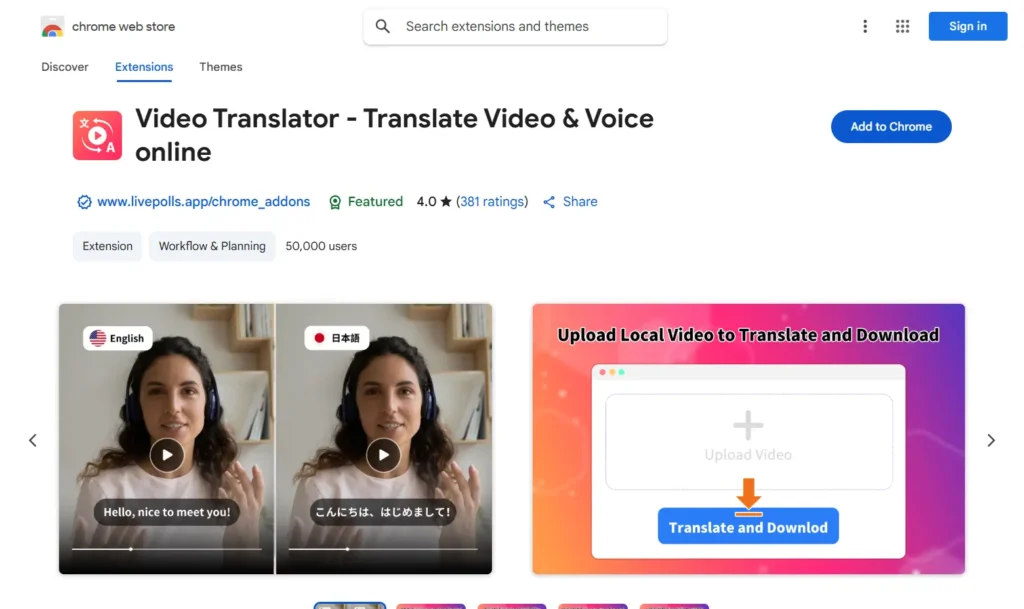
Video Translator – Translate Video & Voice online se présente comme un outil de traduction vidéo et vocale basé sur l’IA. Sa fiche sur le Chrome Web Store indique qu’il peut traduire des vidéos dans plus de 100 langues et prend en charge les URL de vidéos provenant de plateformes telles que Facebook, Instagram, Twitter, Vimeo, TikTok, Reddit et d’autres sites web. Cependant, sa note actuelle sur le Web Store est inférieure à celle de plusieurs alternatives ; il convient donc de le présenter comme une option de base plutôt que comme un choix professionnel de premier plan.
Chiffres clés au mois de juin 2026
| Fonctionnalité | Détails |
| Evaluation | 3,0/5 sur la base de 226 avis |
| Utilisateurs | 80,000+ |
| Version | 4.8.10 |
| Couverture de traduction déclarée | 100+ langues |
| Langages d'interface d'extension | 54 langues |
| Vie privée | Le développeur précise qu'il ne collecte ni n'utilise aucune donnée |
| Boutique en ligne | Traducteur vidéo |
Pour :
- Fonctionne avec les URL de vidéos provenant de plusieurs plateformes
- Va au-delà de la simple traduction des sous-titres YouTube
- Utile pour effectuer rapidement des tests de traduction
Limites :
- Note inférieure sur le Chrome Web Store par rapport à des alternatives plus performantes
- Les allégations relatives à la qualité doivent être considérées avec prudence, à moins qu'elles n'aient fait l'objet de tests indépendants.
- Ce n'est pas la solution idéale pour les équipes qui ont besoin de fonctions de révision, de sous-titrage, de contrôle des modèles vocaux et d'une localisation prête à l'exportation.
Verdict :
Utilisez Video Translator pour effectuer des tests de traduction simples à partir d'URL. Pour une localisation vidéo professionnelle, optez pour un flux de travail comprenant des transcriptions modifiables, des sous-titres, le doublage par IA, le clonage de voix et la synchronisation labiale.
3. iTour Video Translation : la meilleure extension de traduction vidéo en temps réel

Meilleur pour
Les étudiants, les apprenants en ligne et les participants à des réunions qui ont besoin de sous-titres traduits en temps réel lorsqu'ils regardent des vidéos ou participent à des sessions en direct.
iTour Video Translation est une extension Chrome qui traduit en temps réel le contenu vidéo ou audio d'une réunion provenant de l'onglet actuel du navigateur sous forme de sous-titres. D'après sa fiche sur le Chrome Web Store, elle peut être utilisée pour des vidéos en ligne et des réunions sur des plateformes telles que Zoom, Microsoft Teams, Google Meet, Webex et Canvas. Elle s'avère donc plus utile pour la compréhension en direct que pour la production d'une vidéo traduite finale.
Chiffres clés au mois de juin 2026
| Fonctionnalité | Détails |
| Evaluation | 4,9/5 sur la base de 2 000 évaluations |
| Utilisateurs | 50,000+ |
| Version | 2.0.9 |
| Langues | Prise en charge de plusieurs langues |
| Prix | Essai gratuit avec achats intégrés |
| Vie privée | L'extension gère le contenu du site web |
| Boutique en ligne | Traduction vidéo iTour |
Pour :
- Idéal pour les cours en présentiel, les conférences et les réunions
- Flux de travail pour les sous-titres en temps réel
- Au-delà de YouTube
Limites :
- Idéal pour regarder et comprendre, mais pas pour publier des vidéos localisées
- La qualité de la traduction dépend de la clarté de l'audio source
- Il ne s'agit pas d'un flux de travail complet pour le doublage prêt à l'exportation, le clonage de voix, les sous-titres et la synchronisation labiale.
Verdict :
Utilisez iTour si vous avez besoin de sous-titres rapides en temps réel pour des vidéos en ligne ou des réunions. Utilisez un traducteur vidéo entièrement basé sur l'IA, tel que Vozo, lorsque vous souhaitez publier des vidéos traduites avec des sous-titres modifiables, un doublage par IA, le clonage de voix et la synchronisation labiale.
4. Maestra : le meilleur outil pour la transcription et les sous-titres dans le navigateur

Meilleur pour
Les utilisateurs qui souhaitent bénéficier d'une transcription en direct et de sous-titres traduits, le tout intégré à une plateforme de transcription plus complète.
L'extension Chrome de Maestra capture le son des onglets du navigateur et propose une transcription et des sous-titres en temps réel. Selon la fiche de l'extension sur le Chrome Web Store, elle prend en charge la transcription et les sous-titres dans plus de 125 langues et enregistre les sessions sur un compte Maestra pour permettre une édition ultérieure. Cela en fait un outil plus performant pour les workflows de transcription et de sous-titrage qu'une simple extension de traduction YouTube « en un clic ».
Chiffres clés au mois de juin 2026
| Fonctionnalité | Détails |
| Evaluation | 3,7/5 sur la base de 13 évaluations |
| Utilisateurs | 8,000+ |
| Version | 1.1.1 |
| Langues | Plus de 125 langues pour la transcription et le sous-titrage |
| Prix | Produit payant proposant un point d'accès gratuit à une extension |
| Vie privée | Cette extension traite les données à caractère personnel et le contenu du site web |
| Boutique en ligne | Maestra AI |
Pour :
- Idéal pour la transcription, le sous-titrage et l'enregistrement de sessions
- Prend en charge plus de 125 langues
- Permet d'intégrer la capture de navigateur à la plateforme web de Maestra
Limites :
- Ce n'est pas l'option la moins chère pour les utilisateurs occasionnels
- Les fonctionnalités les plus utiles dépendent du flux de travail du compte Maestra
- Il n'est pas principalement conçu pour un flux de travail complet de doublage ou de publication basé sur l'IA
Verdict :
Optez pour Maestra si vous avez besoin d'un service de transcription et de traduction de sous-titres accessible via un navigateur et s'intégrant à une plateforme de montage plus complète. Si vous avez besoin d'une vidéo traduite comprenant le doublage, le clonage de voix, la synchronisation labiale et le contrôle des exportations, optez pour un workflow complet de localisation vidéo.
5. Language Reactor : la meilleure extension de traduction YouTube pour l'apprentissage des langues

Meilleur pour :
Les personnes qui apprennent une langue et qui souhaitent disposer de sous-titres bilingues, d'une fonction de recherche dans le dictionnaire et de commandes de lecture.
Language Reactor n'est pas avant tout un outil de localisation vidéo. Il s'agit d'une extension d'apprentissage des langues permettant de regarder des contenus en version originale sur YouTube et Netflix. Selon sa fiche sur le Chrome Web Store, elle propose des sous-titres en double langue, un dictionnaire contextuel, des commandes de lecture précises et permet d'apprendre à partir de films, de séries, de sites web et de textes importés.
Chiffres clés en juin 2026 :
| Fonctionnalité | Détails |
| Evaluation | 4,2/5 sur la base de 4 200 évaluations |
| Utilisateurs | 2,000,000+ |
| Version | 5.1.7 |
| Langages d'interface d'extension | 27 langues |
| Prix | Gratuit avec achats intégrés / Fonctionnalités Pro |
| Vie privée | Transparent, avec le respect de la politique des développeurs. |
| Boutique en ligne | Réacteur linguistique |
Pour :
- Très efficace pour l'apprentissage des langues
- Compatible avec YouTube et Netflix
- Les sous-titres en double langue et la consultation du dictionnaire sont utiles pour étudier
- Une large base d'utilisateurs
Limites :
- N'est pas conçu pour l'exportation de vidéos traduites
- Ce n'est pas un outil de doublage ou de clonage de voix
- Convient mieux aux apprenants individuels qu'aux créateurs ou aux équipes professionnelles
Verdict :
Utilisez Language Reactor si votre objectif est d'apprendre une langue tout en regardant YouTube ou Netflix. Ne le présentez pas comme un outil de traduction vidéo professionnel destiné aux créateurs ou aux entreprises.
6. YouTube Translator & YouTube Video Dubbing : l'outil idéal pour la traduction de vidéos YouTube à partir des sous-titres

Meilleur pour :
Les utilisateurs qui recherchent un outil de traduction simple, dédié exclusivement à YouTube, lorsque des sous-titres sont déjà disponibles.
L'extension « YouTube Translator & YouTube Video Dubbing » a été spécialement conçue pour YouTube. Selon sa fiche sur le Chrome Web Store, elle ne prend actuellement en charge que les vidéos YouTube disposant déjà de sous-titres. Si le bouton « CC » de YouTube n'est pas disponible ou est grisé, la traduction risque de ne pas fonctionner. L'extension propose également un doublage synchronisé, des sous-titres générés par IA, plusieurs styles de voix et la prise en charge des langues les plus courantes.
Chiffres clés en juin 2026 :
| Fonctionnalité | Détails |
| Evaluation | 2,0/5 sur la base de 238 avis |
| Utilisateurs | 70,000+ |
| Version | 2.5.9 |
| Langages d'interface d'extension | 55 langues |
| Prix | Achats in-app |
| Vie privée | Le développeur précise qu'il ne collecte ni n'utilise aucune donnée |
| Boutique en ligne | Traducteur YouTube |
Pour :
- Conçu spécialement pour YouTube
- Prend en charge la traduction des sous-titres lorsqu'ils sont disponibles
- Comprend des fonctionnalités liées aux sous-titres et au doublage générés par l'IA
Limites :
- Note faible de Chrome Web Store par rapport à d'autres options
- Nécessite des vidéos YouTube avec sous-titres
- Ne convient pas aux vidéos sans sous-titres
- Il ne s'agit pas d'un flux de travail complet de publication destiné aux créateurs ou aux équipes
Verdict :
N'utilisez cette option que si vous avez besoin d'un simple outil de traduction des sous-titres YouTube et que la vidéo comporte déjà des sous-titres. Pour les vidéos sans sous-titres ou pour obtenir des vidéos traduites prêtes à être publiées, utilisez un outil complet de traduction vidéo par IA.
7. SubTrans : la meilleure extension de traduction de sous-titres pour les cours en ligne

Meilleur pour :
Les utilisateurs qui souhaitent disposer de sous-titres bilingues et pouvoir personnaliser ces sous-titres sur l'ensemble des sites vidéo pris en charge.
SubTrans est une suite logicielle de traduction de sous-titres polyvalente. D'après sa fiche sur le Chrome Web Store, elle permet de transformer les sous-titres d'origine en sous-titres bilingues et prend en charge des sites tels que YouTube, Udemy et Coursera. Elle peut également fonctionner avec des fichiers de sous-titres externes ou du texte de sous-titres saisi manuellement. La condition essentielle est que la vidéo dispose d'au moins une source officielle de sous-titres ou de légendes.
Chiffres clés en juin 2026 :
| Fonctionnalité | Détails |
| Evaluation | 3,9/5 sur la base de 119 avis |
| Utilisateurs | 40,000+ |
| Version | 5.0.0 |
| Langages d'interface d'extension | 10 langues |
| Prix | Gratuit |
| Vie privée | Selon les informations fournies sur le Chrome Web Store, cette extension traite des données à caractère personnel. |
| Boutique en ligne | SubTrans |
Pour :
- Convient à l'affichage de sous-titres bilingues
- Prend en charge les fichiers de sous-titres externes
- Permet de régler le style, la position et la synchronisation des sous-titres
- Fonctionne sur plusieurs sites vidéo pris en charge
Limites :
- Nécessite des sous-titres officiels existants ou une source de sous-titres externe
- N'est pas conçu pour le doublage par IA ni pour le clonage de voix
- N'est pas conçu pour l'exportation d'une vidéo entièrement localisée
Verdict :
Utilisez SubTrans si vous avez besoin d'afficher des sous-titres bilingues et de les personnaliser pendant le visionnage. Optez pour un flux de travail complet de traduction vidéo si vous avez besoin d'une traduction audio, d'un clonage vocal, d'une synchronisation labiale, d'une révision et d'une exportation.
8. DeepL : l'outil idéal pour traduire des sous-titres et des pages Web

Meilleur pour :
Les utilisateurs qui ont besoin d'une traduction de texte de haute qualité lorsqu'ils naviguent sur Internet, lisent ou écrivent.
DeepL n'est pas une extension Chrome permettant de traduire des vidéos dans leur intégralité. Il s'agit plutôt d'un assistant de traduction de haute qualité pour le texte, les pages web et la rédaction. Selon la description figurant sur le Chrome Web Store, l'extension permet de traduire du texte sélectionné, de traduire des pages avec DeepL Pro, de faciliter la rédaction dans Google Workspace et de faciliter la communication sur différentes plateformes, notamment YouTube, WhatsApp, LinkedIn et X.
Chiffres clés en juin 2026 :
| Fonctionnalité | Détails |
| Evaluation | 4,7/5 sur la base de 12 400 évaluations |
| Utilisateurs | 4,000,000+ |
| Version | 1.85.0 |
|
Aide à la traduction |
30+ langues |
| Prix | Version gratuite avec des restrictions ; les fonctionnalités avancées nécessitent DeepL Pro ou DeepL Write Pro |
| Vie privée | DeepL précise que les abonnements Pro ne stockent ni n'utilisent de contenu pour améliorer le service, sauf si l'utilisateur y consent ; le contenu soumis gratuitement peut être utilisé pour améliorer les algorithmes. |
| Boutique en ligne | DeepL AI Translator |
Pour :
- Une traduction de grande qualité
- Une large base d'utilisateurs et une excellente note sur le Chrome Web Store
- Utile pour traduire des transcriptions, des sous-titres, des commentaires et des pages web
Limites :
- N'est pas conçu pour le doublage vidéo
- Ne permet pas de créer des vidéos traduites prêtes à être exportées
- Ne remplace pas la traduction vidéo par IA, les sous-titres, le clonage de voix ou la synchronisation labiale
Verdict :
Utilisez DeepL lorsque vous avez besoin d'une traduction précise de textes dans le cadre d'un flux de travail vidéo. Ne le présentez pas comme un outil de traduction vidéo complet. Pour obtenir une vidéo traduite, utilisez un outil de traduction vidéo dédié.
9. Quand les extensions Chrome ne suffisent pas : utilisez Vozo pour une traduction complète de vos vidéos
Les extensions Chrome sont utiles lorsque vous avez simplement besoin de comprendre une vidéo au fur et à mesure que vous la regardez. Elles ne suffisent toutefois pas toujours lorsque vous devez publier des vidéos traduites, localiser des contenus de formation, créer des supports marketing multilingues ou préparer des vidéos YouTube destinées à un public international.
En juin 2026, Vozo Video Translator prend en charge plus de 160 langues et propose la traduction par IA, des sous-titres modifiables, le doublage par IA, le clonage de voix et la synchronisation labiale. En matière de clonage vocal, Vozo comprend VoiceREAL, qui permet de préserver l’identité vocale de l’orateur d’origine, et VoiceNATIVE, qui permet de créer des doublages plus naturels dans la langue cible pour les publicités, les tutoriels, les vidéos d’apprentissage en ligne, les présentations de produits et les contenus de formation en entreprise.
Vozo prend désormais en charge deux modèles de clonage vocal dans « Traduction et doublage » :
- VoiceREAL : idéal lorsque la préservation de l'identité, de l'émotion et de la personnalité de l'orateur d'origine est primordiale.
- VoiceNATIVE: particulièrement adapté lorsque la voix traduite doit sonner naturellement dans la langue cible, notamment pour les publicités, les publicités générées par les utilisateurs, les tutoriels, les formations en ligne, les vidéos de présentation de produits et les vidéos d'entreprise.
Si vous ne savez pas quel modèle choisir, sélectionnez « Auto » et laissez Vozo choisir le modèle le plus adapté.
Avantages et inconvénients de l'utilisation des extensions Chrome pour la traduction sur YouTube
Pour
- Installation rapide : la plupart des extensions s'installent en quelques secondes.
- Idéal pour regarder : pratique lorsque vous avez simplement besoin de comprendre une vidéo dans une autre langue.
- Faible coût : de nombreux outils proposent la traduction de sous-titres gratuitement ou en mode « freemium ».
- Processus simple : pas besoin de télécharger ni d'exporter une vidéo.
Cons
- Contrôle limité de la publication : la plupart des extensions ne sont pas conçues pour exporter des vidéos traduites et finalisées.
- Dépendance vis-à-vis des sous-titres : de nombreux outils ne fonctionnent de manière optimale que lorsque des sous-titres existent déjà.
- La qualité du doublage peut varier : le doublage par IA, lorsqu'il est disponible, peut ne pas respecter l'identité du locuteur ni le rythme naturel.
- Problèmes de synchronisation : les sous-titres ou la synthèse vocale peuvent ne plus être synchronisés avec la vidéo.
- Problèmes liés à la confidentialité : les utilisateurs sont invités à vérifier les autorisations de l'extension avant de l'installer.
- Contrôle limité de la marque : les équipes ont généralement besoin d'un glossaire, d'une fonction de révision, de sous-titres et de paramètres d'exportation que les extensions de navigateur ne proposent pas.
Quand une extension Chrome ne suffit pas : traduire des vidéos YouTube avec Vozo
Etape 1 : Se connecter à Vozo AI
- Visitez le site Vozo AI site web.
- Saisissez votre adresse électronique et votre mot de passe pour vous connecter ou créer un nouveau compte.
Étape 2 : Téléchargement de votre vidéo (ou lien)
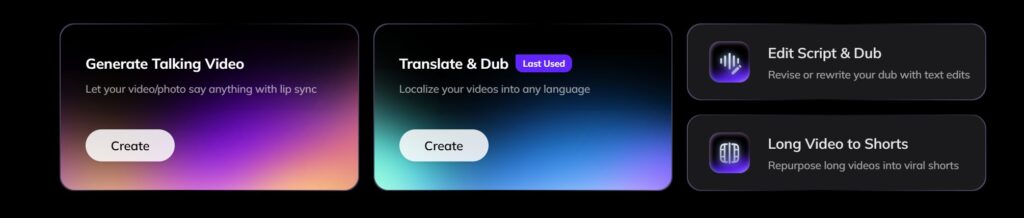
Téléchargez votre fichier vidéo ou collez un lien compatible. Vozo prend en charge les flux courants tels que les liens YouTube, Google Drive, TikTok, Zoom et Rumble.
- Cliquez sur le bouton “Créer”Cliquez sur le bouton “Translate & Dub”.
- Choisissez un fichier vidéo sur votre appareil ou collez un lien vidéo.
- Attendez que le téléchargement soit terminé.
- Assurez-vous que le format vidéo est pris en charge (par exemple, MP4, MOV).

Étape 3 : Sélectionner la langue cible
Sélectionnez la langue cible parmi les plus de 160 langues prises en charge par Vozo. Vérifiez la langue source détectée avant de générer la traduction.
- Choisissez la langue dans laquelle vous souhaitez que votre vidéo soit traduite.
- Examinez la langue source pour vous assurer qu'elle est correctement détectée.
- Personnaliser les préférences linguistiques si nécessaire (par exemple, le dialecte ou le ton).
Étape 4 : Choisissez un modèle de clonage vocal

Choisissez « VoiceREAL » si l'identité et les émotions du locuteur sont primordiales. Choisissez « VoiceNATIVE » si vous souhaitez que la voix doublée sonne de manière plus naturelle dans la langue cible. En cas de doute, utilisez le mode « Auto ».
Étape 5 : Vérification et correction de la transcription traduite
- Vérifier l'exactitude de la transcription traduite automatiquement.
- Corrigez les éventuelles erreurs ou ajustez le texte pour le rendre plus lisible.
- Utilisez les outils d'édition de Vozo AI pour réviser votre transcription, ajouter des sous-titres et même doubler vos vidéos.

Étape 6 : Finalisation et exportation de votre vidéo
- Vérifier la vidéo finale avec les sous-titres et les traductions.
- Sélectionnez vos paramètres d'exportation tels que le format de fichier, la résolution ou l'emplacement des sous-titres.
- Téléchargez la vidéo terminée sur votre appareil ou partagez-la directement.
Pour des instructions plus détaillées, vous pouvez consulter la page de Vozo AI intitulée Centre d'aide et des tutoriels sur YouTube.

Vous pouvez aussi aimer :
- Les meilleurs traducteurs vidéo IA
- Les meilleurs traducteurs de sous-titres en IA
- Meilleures applications de doublage AI
Foire aux questions (FAQ)
Quelle est la meilleure extension Chrome pour traduire des vidéos ?
Le choix de la meilleure extension Chrome de traduction vidéo dépend de votre cas d'utilisation. Pour les légendes et les sous-titres sur YouTube, « Video CC Translator » et « Video Translator » constituent d'excellentes options. Pour les sous-titres en temps réel, « iTour Video Translation » ou « Maestra » pourraient être plus adaptés. Pour des vidéos traduites prêtes à être publiées, avec doublage, clonage de voix et synchronisation labiale, Vozo est plus adapté qu'une extension Chrome.
Qu'est-ce qu'un traducteur de sous-titres vidéo ?
Un traducteur de sous-titres pour vidéos traduit les sous-titres d'une vidéo. Il fonctionne généralement mieux lorsque la vidéo comporte déjà des sous-titres ou une transcription.
Les extensions Chrome permettent-elles de traduire les sous-titres de YouTube ?
Oui. De nombreuses extensions Chrome permettent de traduire les sous-titres ou les légendes de YouTube, mais leur précision et les langues prises en charge varient. Certains outils ne fonctionnent que lorsque des légendes sont déjà disponibles.
Les extensions de traduction sur YouTube nécessitent-elles des sous-titres existants ?
C'est le cas de certaines. Les extensions basées sur les sous-titres s'appuient sur les sous-titres ou les sous-titres codés de YouTube. D'autres outils peuvent transcrire l'audio au préalable, mais la précision dépend de la qualité de l'audio source, des bruits de fond, des accents des locuteurs et de la synchronisation.
Une extension Chrome permet-elle de doubler une vidéo YouTube ?
Certaines extensions proposent des fonctionnalités de base pour l'enregistrement vocal ou le doublage, mais la plupart sont conçues pour visionner des vidéos, et non pour créer des contenus vidéo localisés. Pour un doublage complet, des sous-titres modifiables, le clonage de voix et la synchronisation labiale, un outil dédié de traduction vidéo par IA, tel que Vozo, est plus adapté.
Quelle est la différence entre une extension de traduction vidéo et Vozo ?
Une extension de traduction vidéo permet aux utilisateurs de comprendre les vidéos directement dans leur navigateur. Vozo s'adresse aux créateurs de contenu, aux professionnels du marketing, aux enseignants et aux entreprises qui ont besoin de traduire, de doubler, de monter et de publier des vidéos localisées.
