

What Is Visual Translate
Visual Translate translates on-screen text in videos, including slides, captions, and explanatory overlays. It focuses on visual elements rather than spoken audio.Create a Project
To get started, navigate to your Dashboard and click on AI Translation - Visual Translate. Upload a video file to begin. Please make sure the video is suitable for this feature. For supported types and scenarios, see Supported Video Types. Before submitting the translation, configure the following settings:- Original Language: Select the language of the on-screen text in the video.
- Translated to: Choose the target language.
- Advanced Settings (Optional):
- Translation Prompt: Provide tone, style, or context to guide the translation.
- Glossary: Apply one or more glossaries to control term translation and consistency.
Preview and Edit Translations
After processing, you’ll enter the editor to review and edit the results.Compare View
You can preview the video in side-by-side view, comparing:- The original video
- The translated video
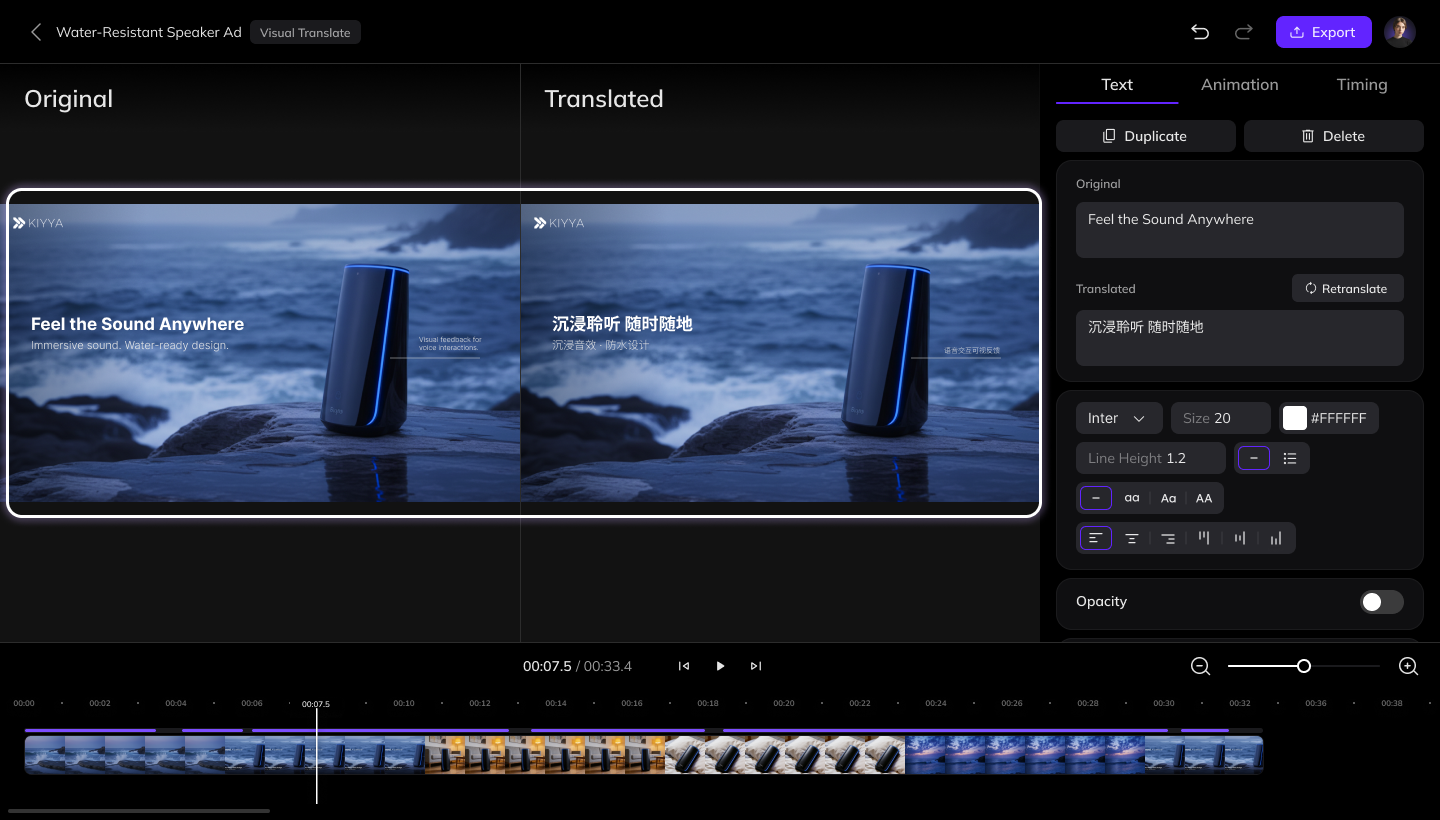
Edit Text Content
Select any text element in the video. All edits are made in the right-side panel.- Edit text content:
- If the detected source text is incorrect, edit it and clickRetranslate to regenerate the translation.
- You can also directly edit the translated text.
- Adjust text style and animation:
- Text Style: Font, size, color, and other visual styles
- Animation: In and Out animations
- Timing: Start time, duration, and layer order
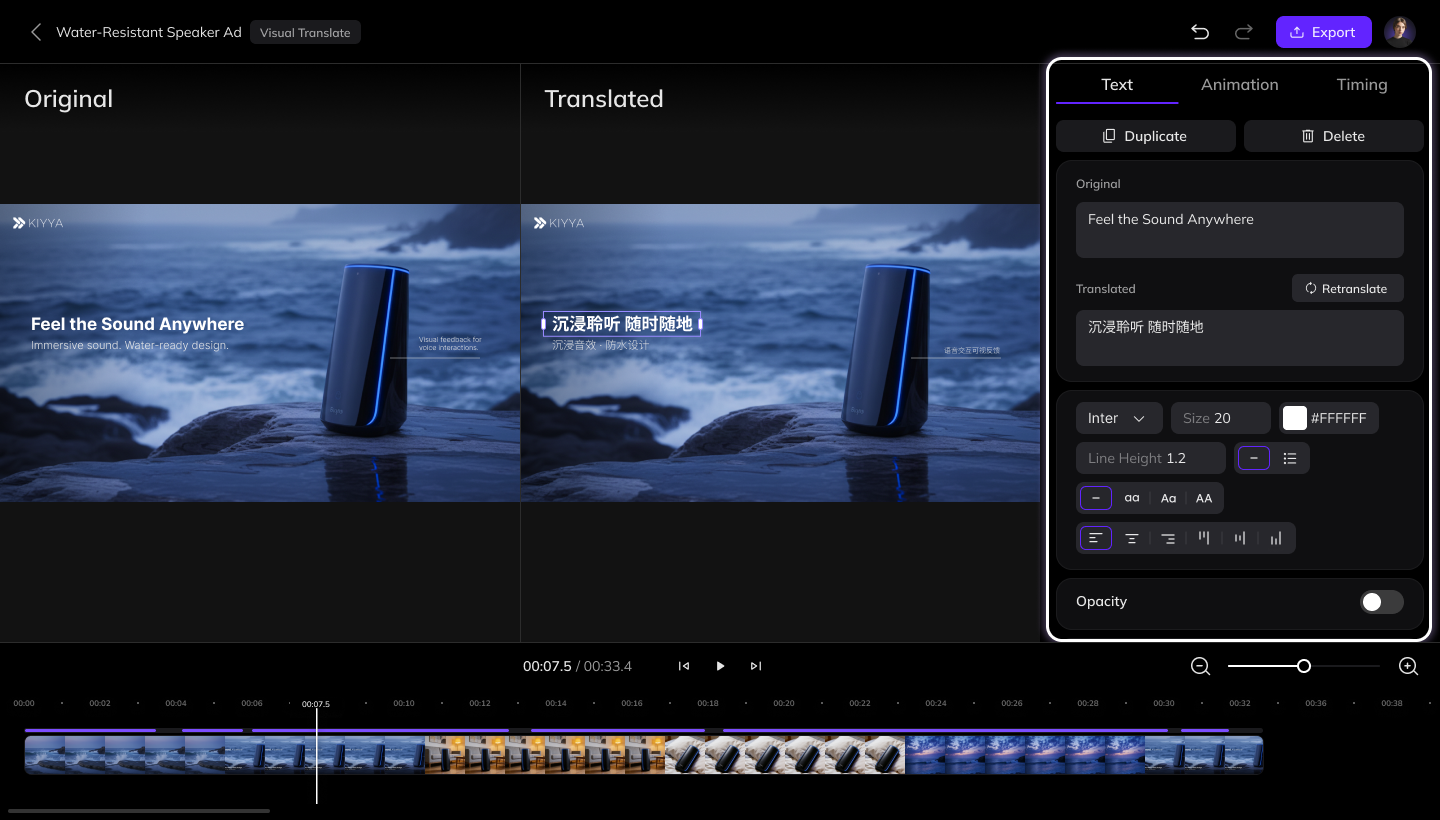
Edit Directly on Canvas
You can also adjust text elements directly in the video preview:- Move text position
- Rotate text
- Resize the text box width

Export the Video
After reviewing and editing, click the Export button in the top-right corner to generate the final video.Continue with Dubbing, Subtitles, or Lip Sync
If you want to continue with dubbing, subtitles, or lip sync, export the video first and then upload it to the corresponding tool.We’re working on integrating Visual Translate with dubbing, subtitles, and lip sync into a single workflow. Stay tuned.
FAQ
How are points charged in Visual Translate?
How are points charged in Visual Translate?
Please refer to the Points Usage for AI Tools page for detailed pricing rules.