

Choose V1 for Static Text and Simple Transitions
V1 works well for simple slide titles, fixed labels, and text that appears or disappears with a basic transition.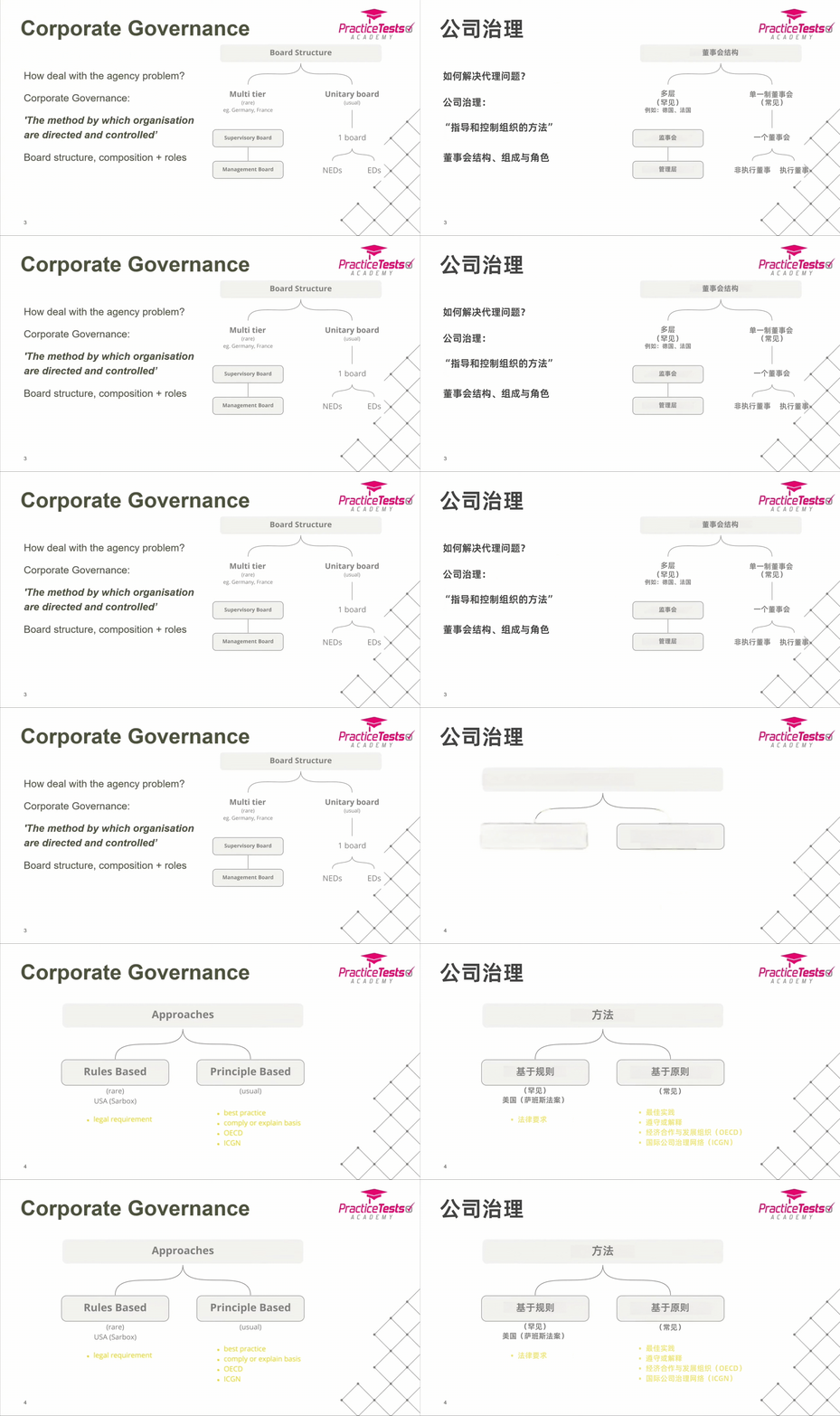
Left: English original | Right: Chinese translation (V1)
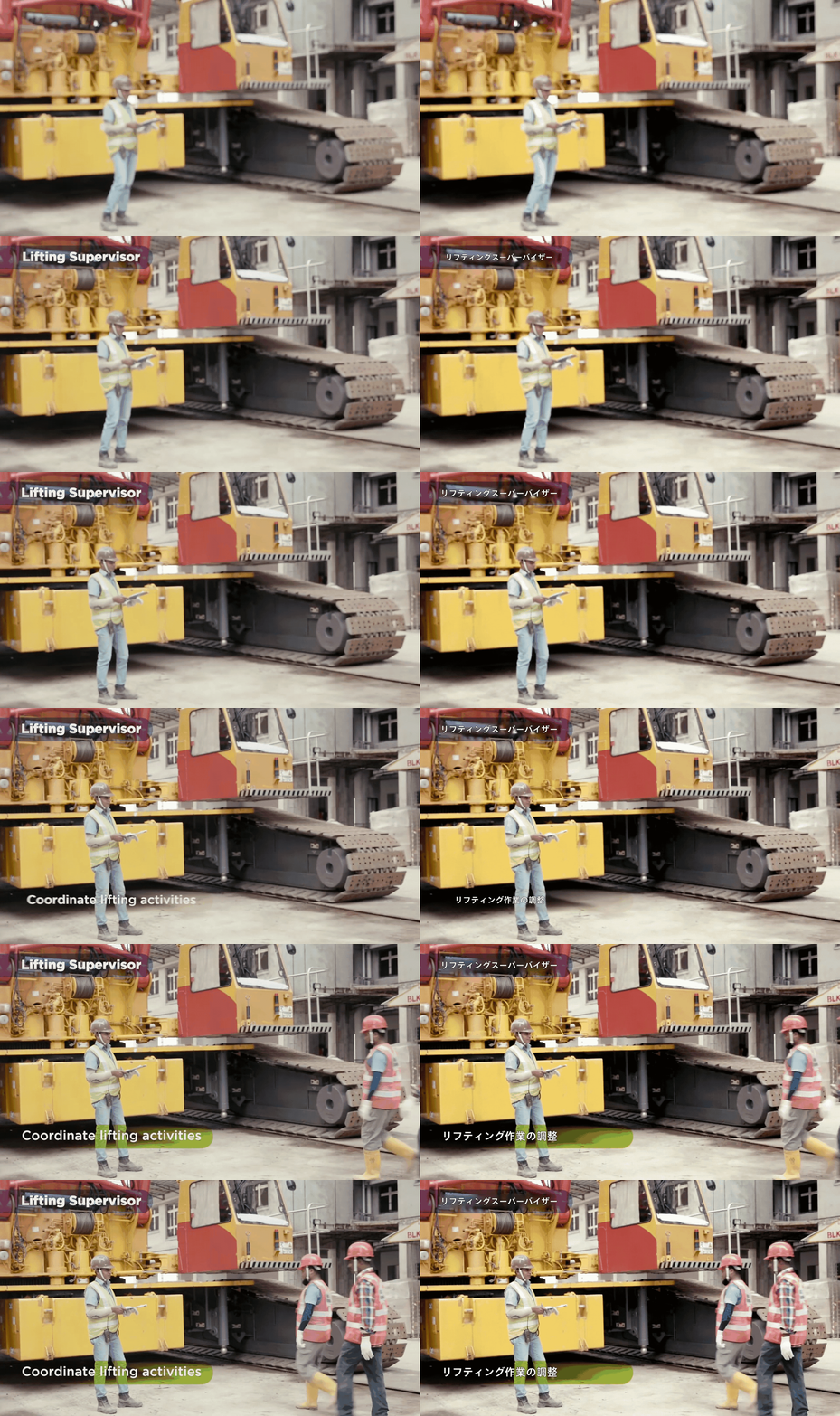
Left: English original | Right: Japanese translation (V1)
Choose V2 for Complex Layouts and Text Animations
Complex Layouts
Choose V2 if your video contains tables or text-heavy layouts. When text is close to table borders or other visual elements, removing it with V1 can leave visible marks. V2 removes the text more cleanly in these areas.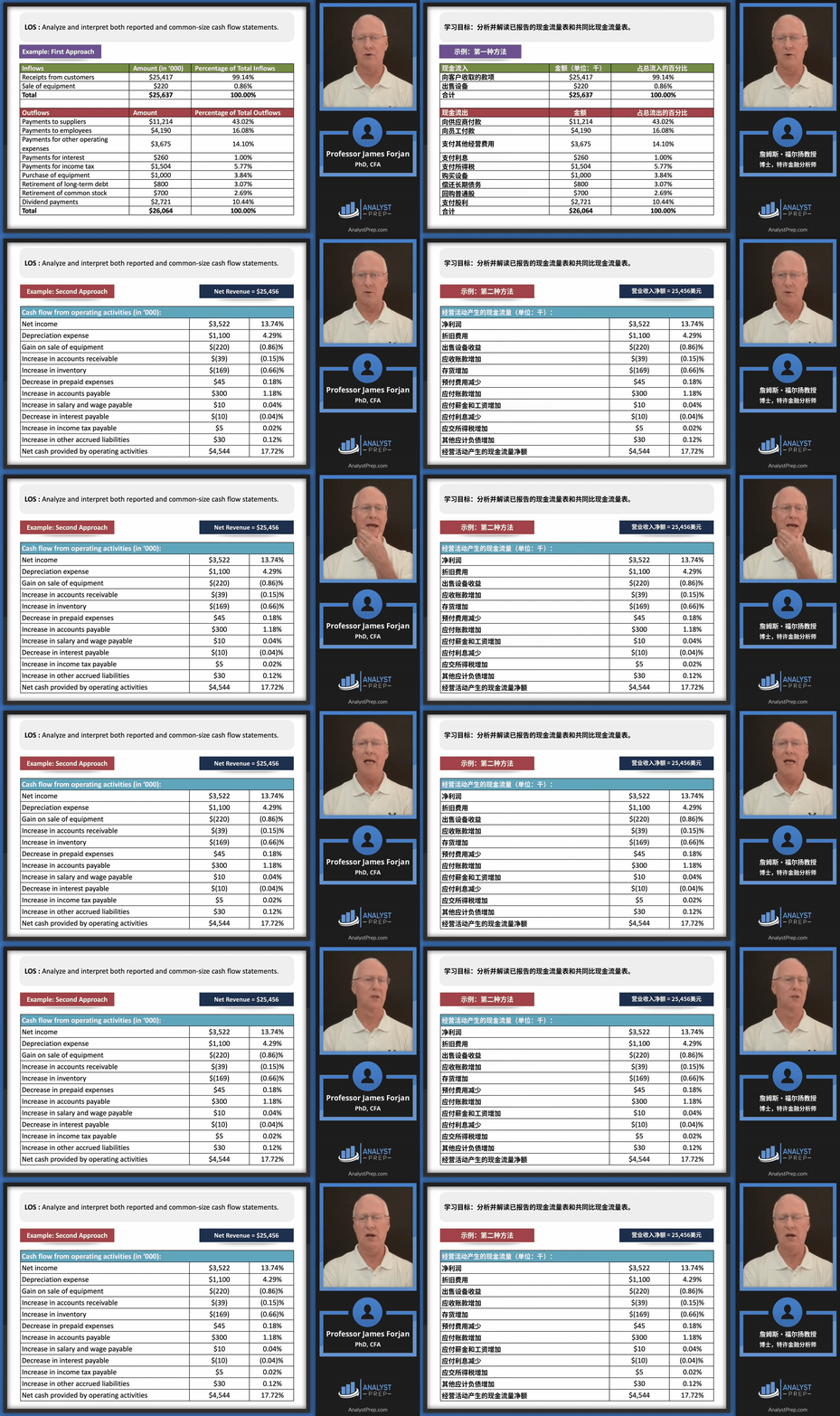
Left: English original | Right: Chinese translation (V2)
Complex Text Animations
Choose V2 if your video includes complex text animations. Here are three examples.-
Text changes color as each item is introduced. For example, the text starts out gray and lights up one item at a time.
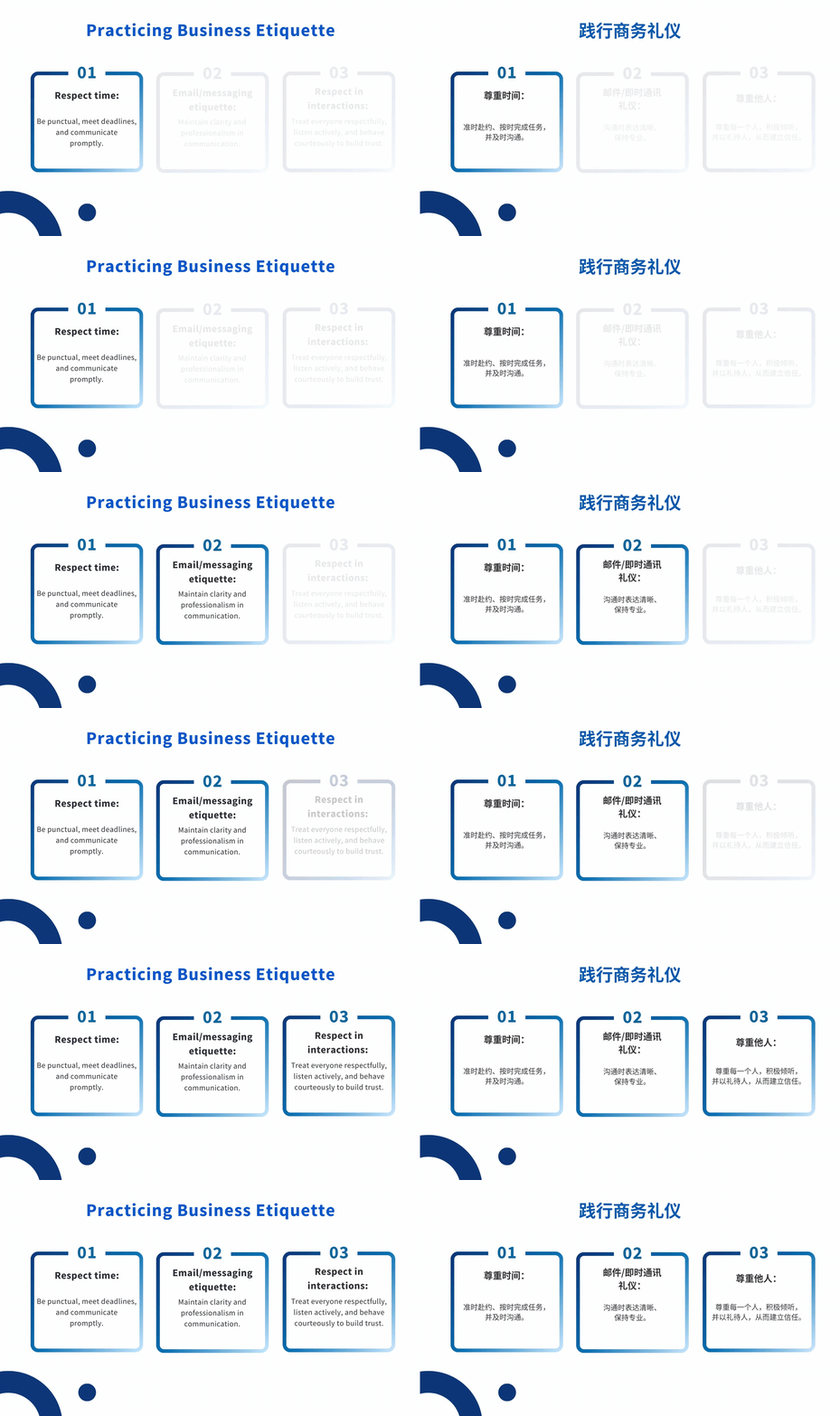
Left: English original | Right: Chinese translation (V2)
-
Advanced text animations, such as character-by-character reveals, bouncing text, and mask reveals.

Left: Japanese original | Right: English translation (V2)
-
Text that moves continuously, such as text that follows a moving object or moves into view from outside the frame.
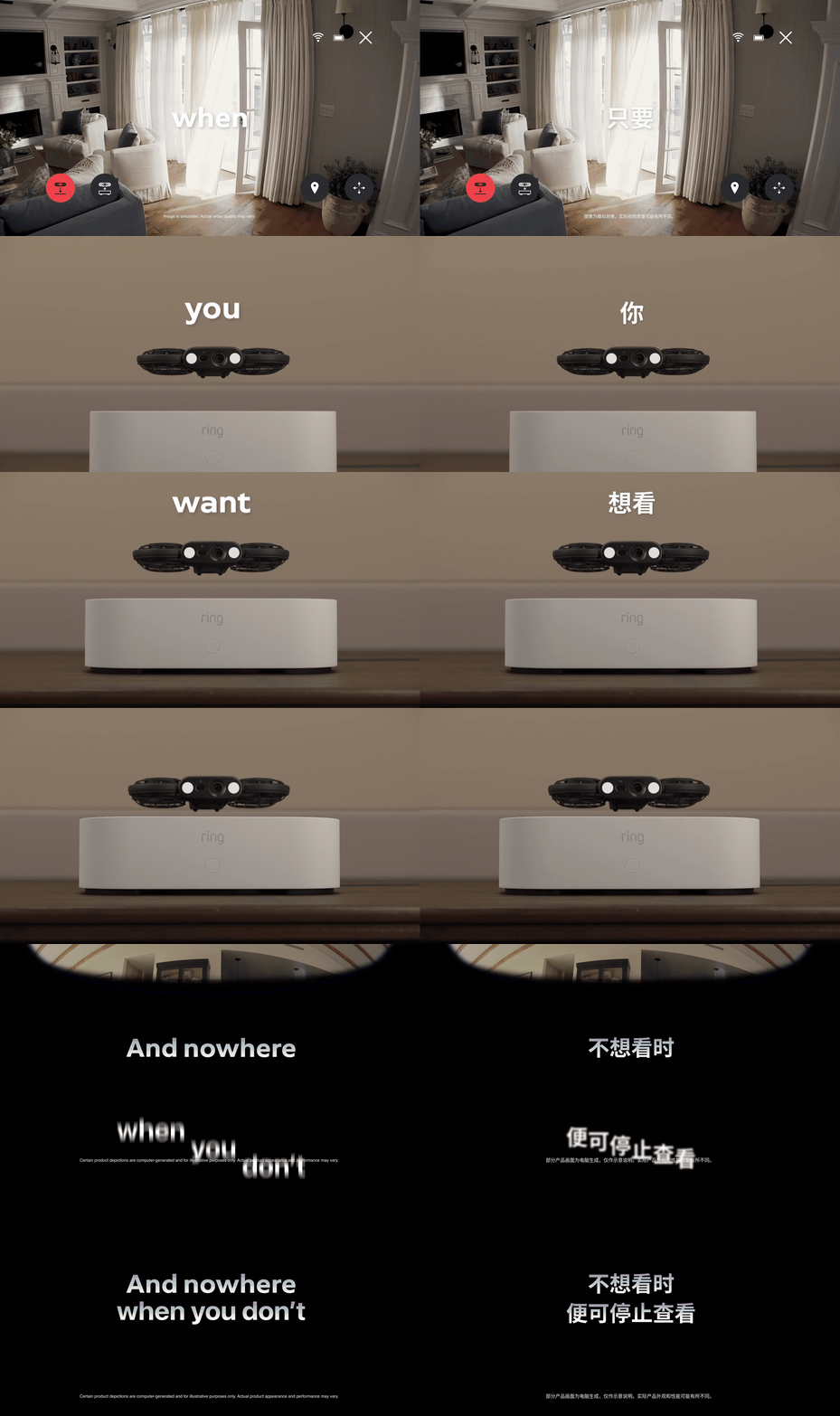
Left: English original | Right: Chinese translation (V2)
Edit the Translated Video
In V1, you make changes directly in the editor. In V2, you describe what you need and let the AI edit the video.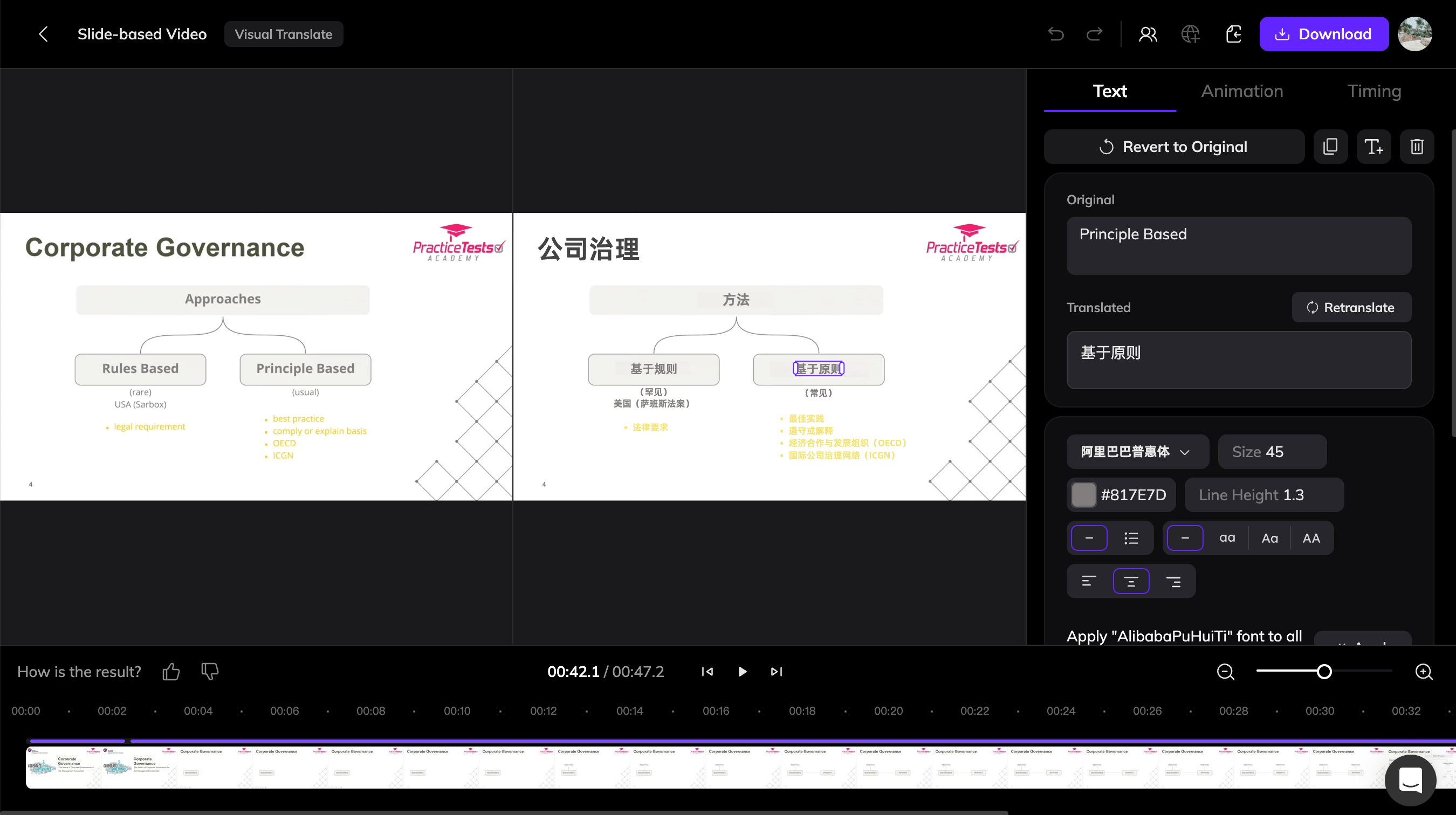
Visual Translate V1 Editor
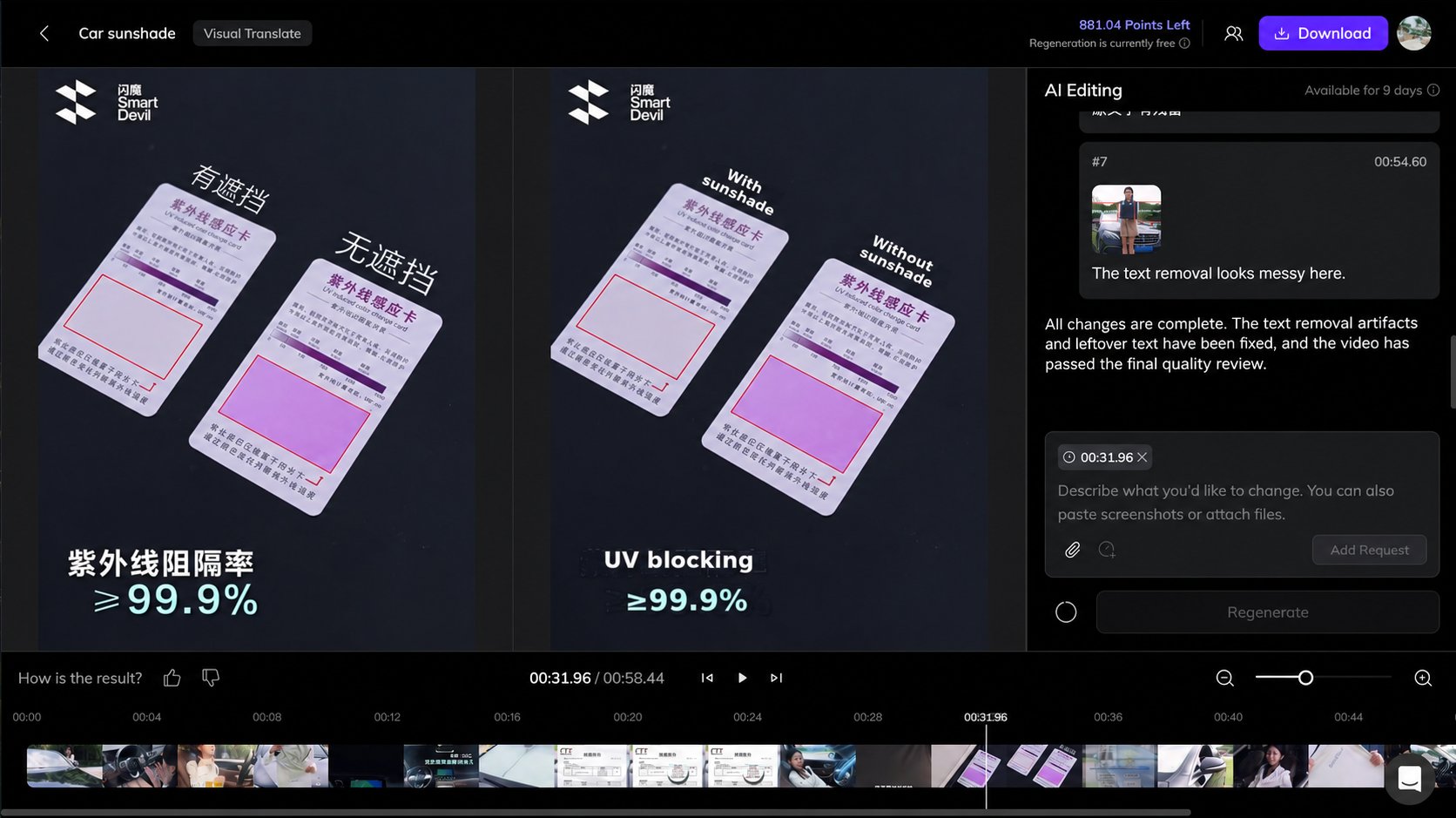
Visual Translate V2 Editor