

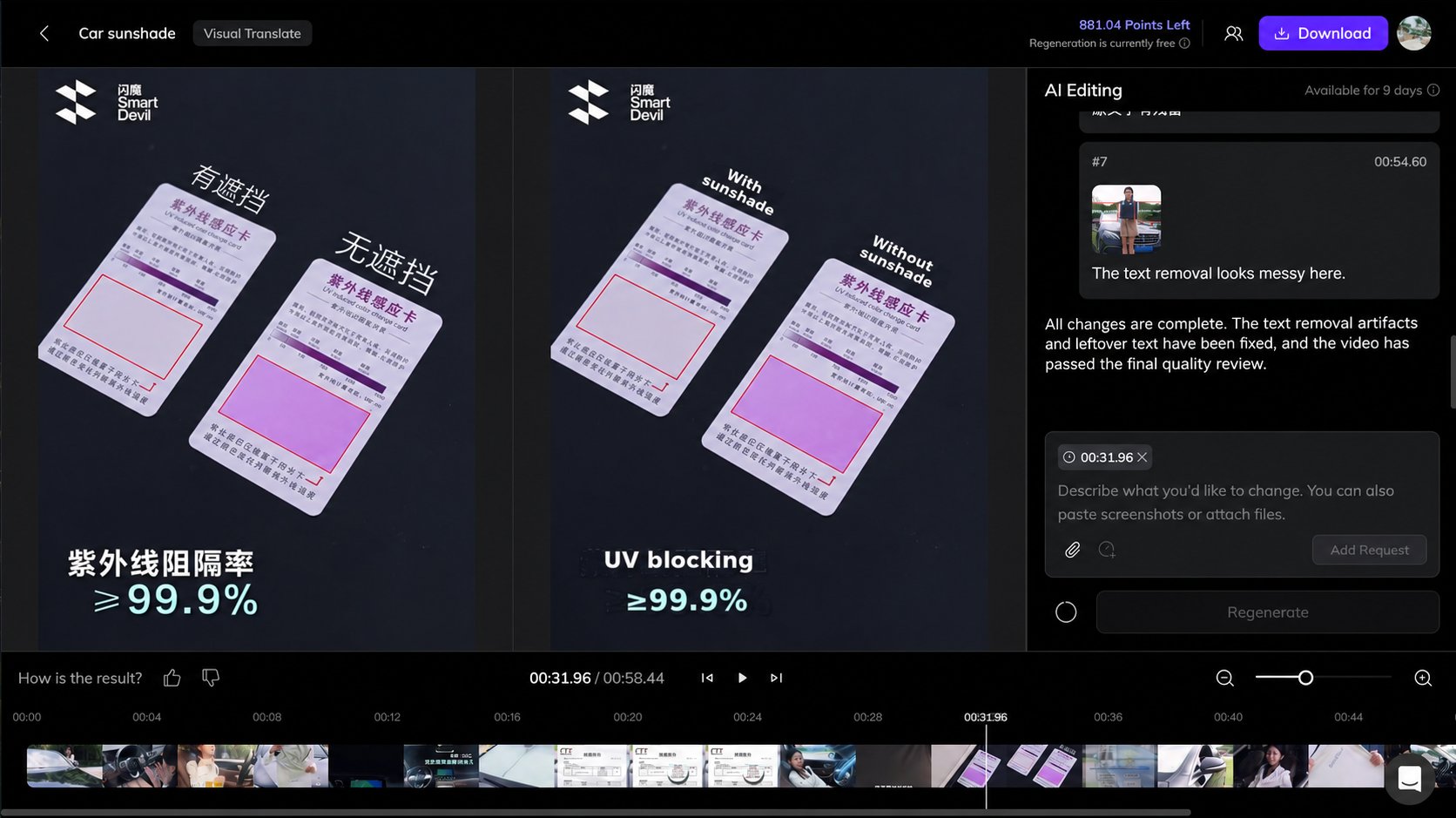
Visual Translate V2 Editor
Add Editing Requests
1
Find the part to change
Preview the translated video and find the text or effect you want to adjust.
2
Describe the change
In AI Editing, describe the problem and the result you want. Include the text or its location so the AI knows what to change. You can attach a screenshot or reference file and associate a request with a video timestamp.
3
Add your requests
Click Add Request to add the current instruction to the request list. You can add, edit, or delete requests before submitting them.
4
Apply the changes
Once all requests have been added, click Regenerate. The AI processes the requests together and creates an updated video.
Add Request adds an instruction to the list. Regenerate submits the collected requests to the AI.
Use Timestamps to Locate Changes
The request box includes a timestamp tag by default. It automatically shows the time where the video is paused to help the AI locate the change. The timestamp is a reference, not a limit to that single frame. The AI uses the video content to identify the relevant segment.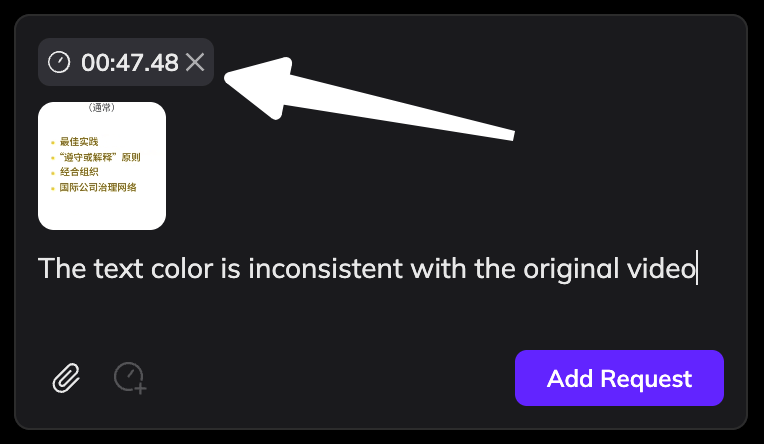
Timestamp tag in the request box
Best Practices
- One change: pause at the part you want to edit so the request includes the current timestamp, describe what you want the AI to change (you can attach a screenshot), then click Add Request.
- Multiple changes: pause at the next part and add a separate request so it includes the new timestamp.
- A specific time range: write the range in your request, such as “Make the title red from 3 to 5 seconds.”
- Global changes: remove the timestamp tag so the AI treats the request as applying to the whole video by default. For example: Replace every occurrence of AAA with BBB throughout the video.
What You Can Ask AI to Change
- Text: correct wording or ask for batch changes.
- Layout and style: adjust placement, spacing, colors, or more advanced text styling.
- Fonts: the AI uses a font close to the original by default. Provide a font name or font file to request a replacement.
- Animation: adjust an effect or ask for a closer match to the original animation.
- Text removal: ask the AI to repeat removal or fix marks and leftover text.
- Missed or unwanted translations: ask the AI to translate missed text or restore text to its original appearance.