Vozo 会自动克隆您视频中每个说话人的原始音色。如果您不想使用原始音色,可以使用 更换音色 功能轻松切换到其他音色。
打开更换音色对话框
单击目标句子以激活工具栏,然后选择 更换音色 以打开对话框。
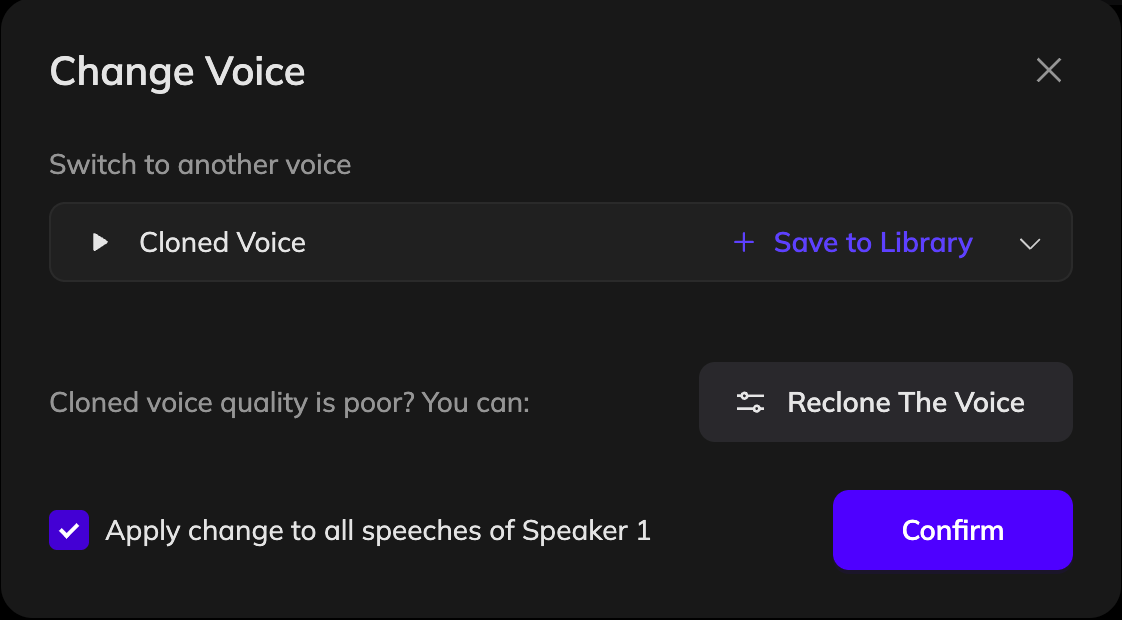
选择音色
在对话框中,打开下拉菜单选择音色。也可以点击 从库中选择更多。要创建一个新的音色,请打开音色库并点击 克隆音色。您可以上传音频文件或录制一个样本,并将克隆的音色保存到您的音色库中。
确认选择
选择音色后,点击 确认。如只更新当前句子,请取消选中“将更改应用于 [说话人] 的所有语音”。如要将语音应用于同一说话人的所有语句,请保持选中状态。
更新配音
点击 生成语音 以使用新语音重新生成音频。
如果因说话人标签不正确而使用了错误的音色,则无需使用 更改音色。相反,请点击说话人标签,选择正确的说话人,然后点击 生成语音 以修复。